Overview
QuizzMe! is a trivia game played as a deck of cards, for quick rounds on 24 topics. Pick a topic, a difficulty and how many cards, and they’re dealt one at a time: answer as you go, or hold every answer back until the end. Every round ends on a scorecard with the verdict stamped on, and the cards you missed can be replayed on their own. It is built with React 19, TailwindCSS 4, Motion and Vite 8, with every topic, count and question coming from the Open Trivia DB (opentdb.com).
The first version was a practice run at fetching data in React: a form of dropdowns, one round and a score. The first rebuild asked what a quiz should actually feel like to play, from picking a topic to seeing what you got wrong. The second gives it a look to match: trivia cards on warm paper, printed topic colours, the indigo and lilac from its icon, and buttons that sink into their own edge when you press them. There is no server and no account; scores stay in your browser.
Live: quizzme.ashwin.co.in
Source code: Explore Repo
Goals & Problems Solved
- Live Topics and Counts: Every topic shows how many questions it really has, and amounts cap at what exists, so a round never asks for more than the API can give.
- Living With the Rate Limit: Open Trivia DB allows one question request every five seconds. Requests queue, and a line under the deal button counts the wait down instead of spinning.
- No Repeats: A session token rides along with every request, so back to back rounds don’t serve the same questions.
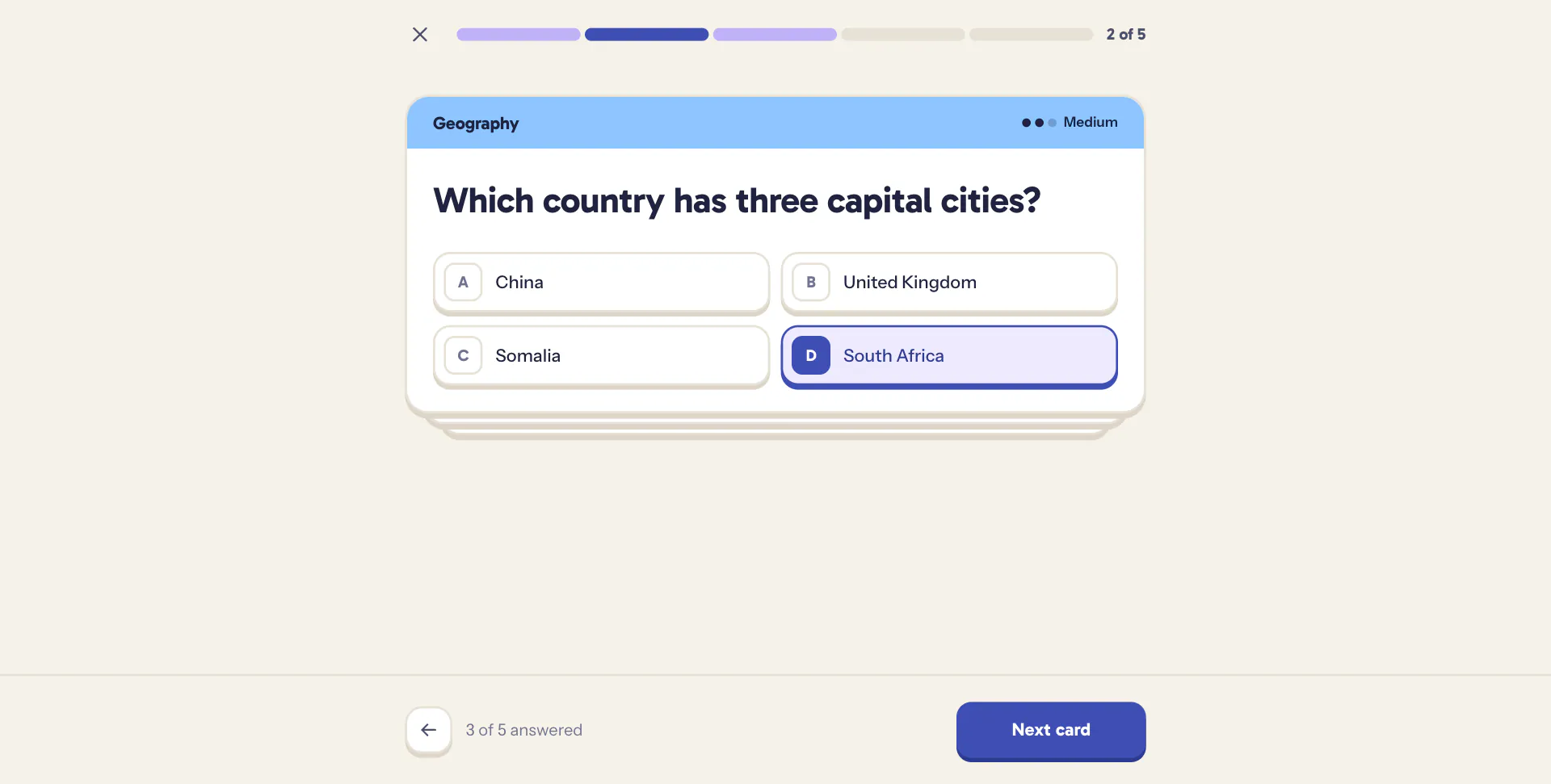
- Two Ways to Play: See each answer as you go with streaks, or reveal them all at the end with free movement between cards.
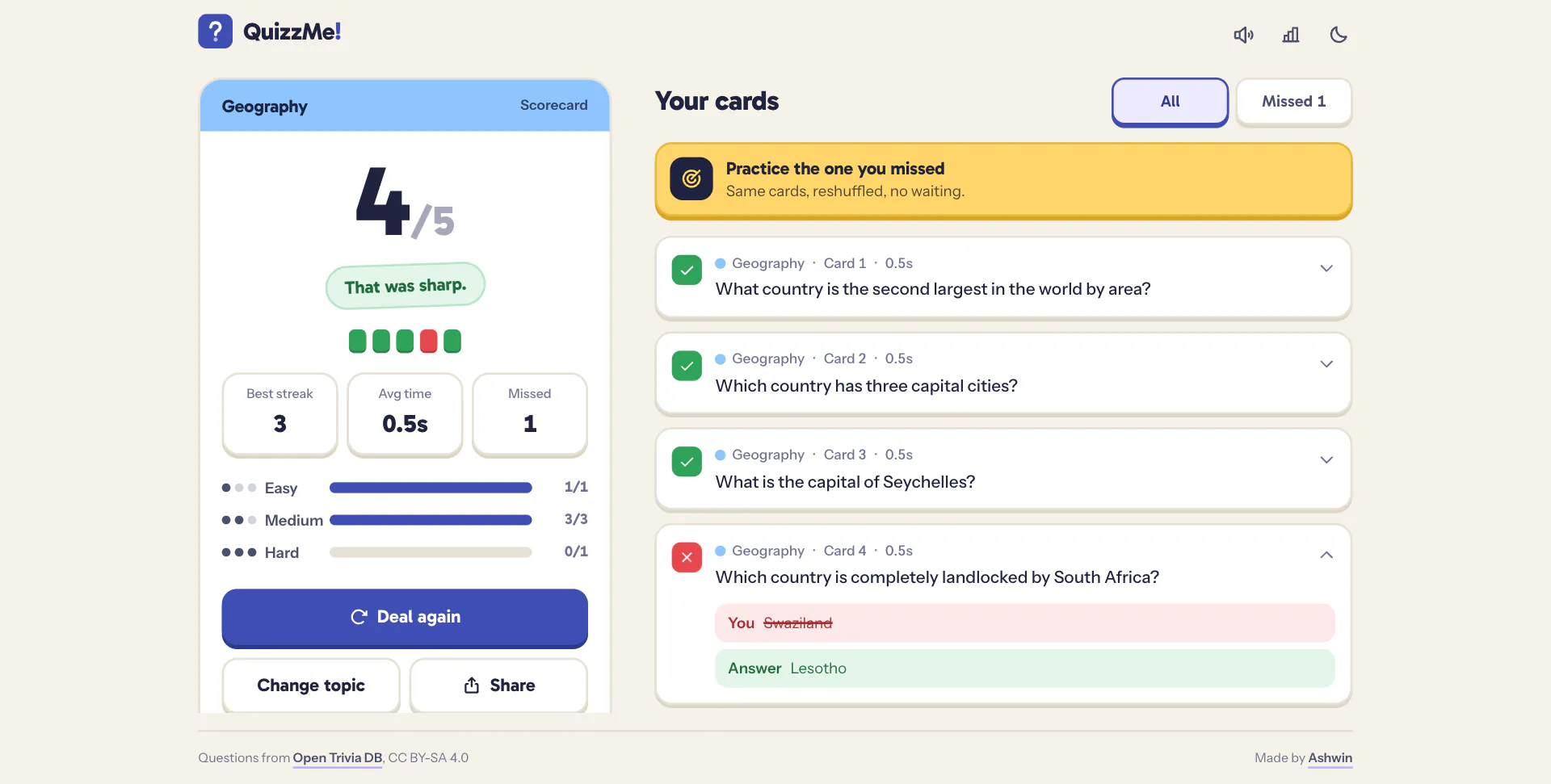
- A Proper Ending: A scorecard with a stamped verdict, a strip of every card right or wrong, best streak, average time, a split by difficulty and a review of every card.
- Practice What You Missed: Replay only the wrong ones, reshuffled, without another API call.
Architecture & Tech Stack
| Layer | Technology / Library | Purpose |
|---|---|---|
| Framework / Build | React 19, Vite 8 | No router: the screens are state, and the URL only carries a shared setup |
| Styling | TailwindCSS 4, Gabarito, Instrument Sans | Theme tokens for warm paper and near-black, tactile tiles and chips |
| Motion | Motion, View Transitions API | Dealing, throwing and stamping cards, sheets and springs, the theme switch |
| Logic / State | JavaScript, useSyncExternalStore | Pure quiz functions with tests, and small persisted stores |
| Data API | Open Trivia DB | Topics, counts, session tokens and questions |
| Sound | Web Audio API | Every knock, riffle and chime synthesized on the spot |
| Icons / Tooling | Phosphor Icons, Biome, node --test | Icon set, linting and formatting, tests for the quiz logic |
Key Features & UX Flow
-
Setup
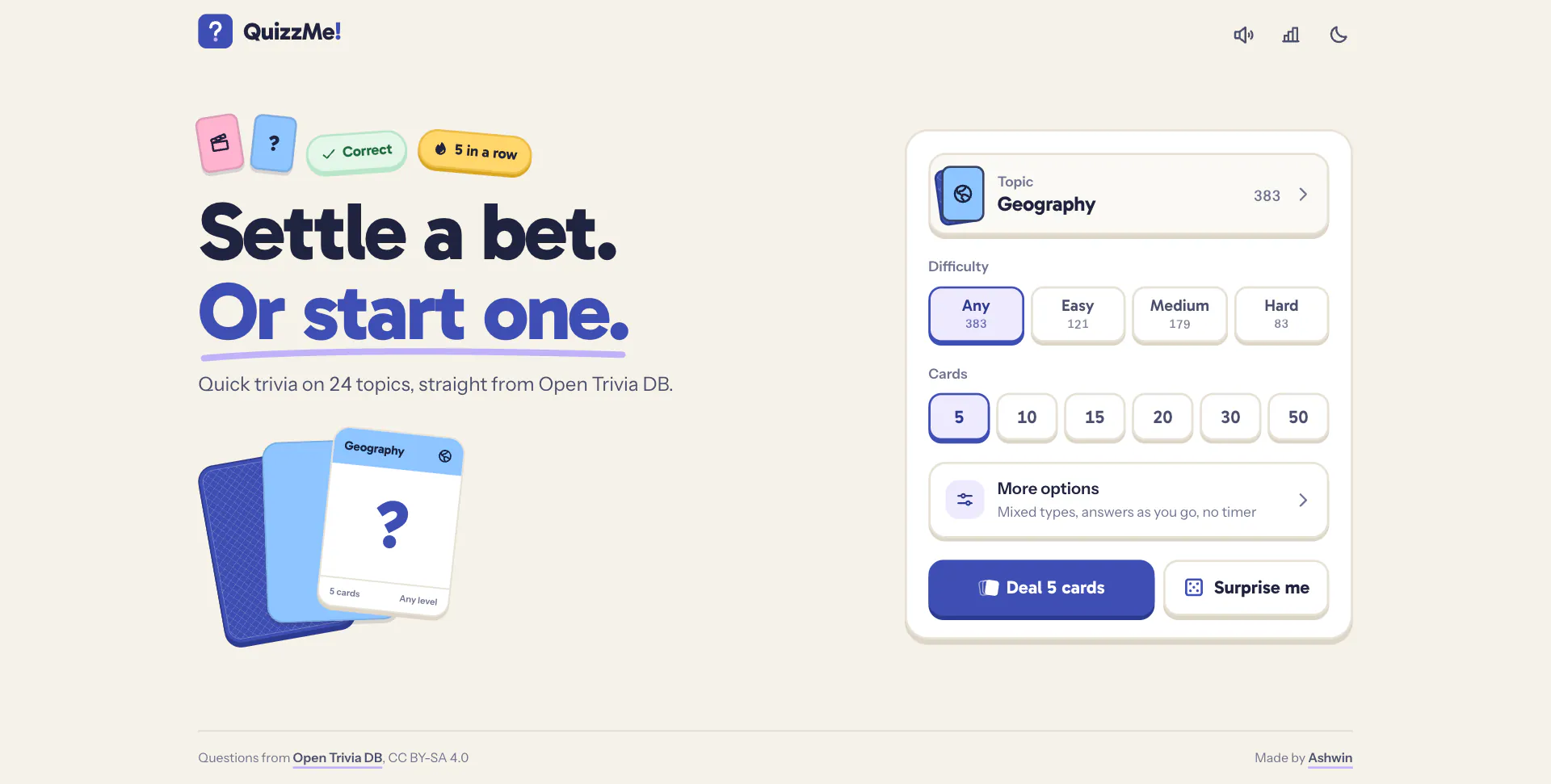
- The deck box: pick a topic, a difficulty and how many cards, and deal. Everything else folds into more options, and surprise me picks a topic for you.
- Beside it, a fanned hand of cards shows the topic you’re about to be dealt.
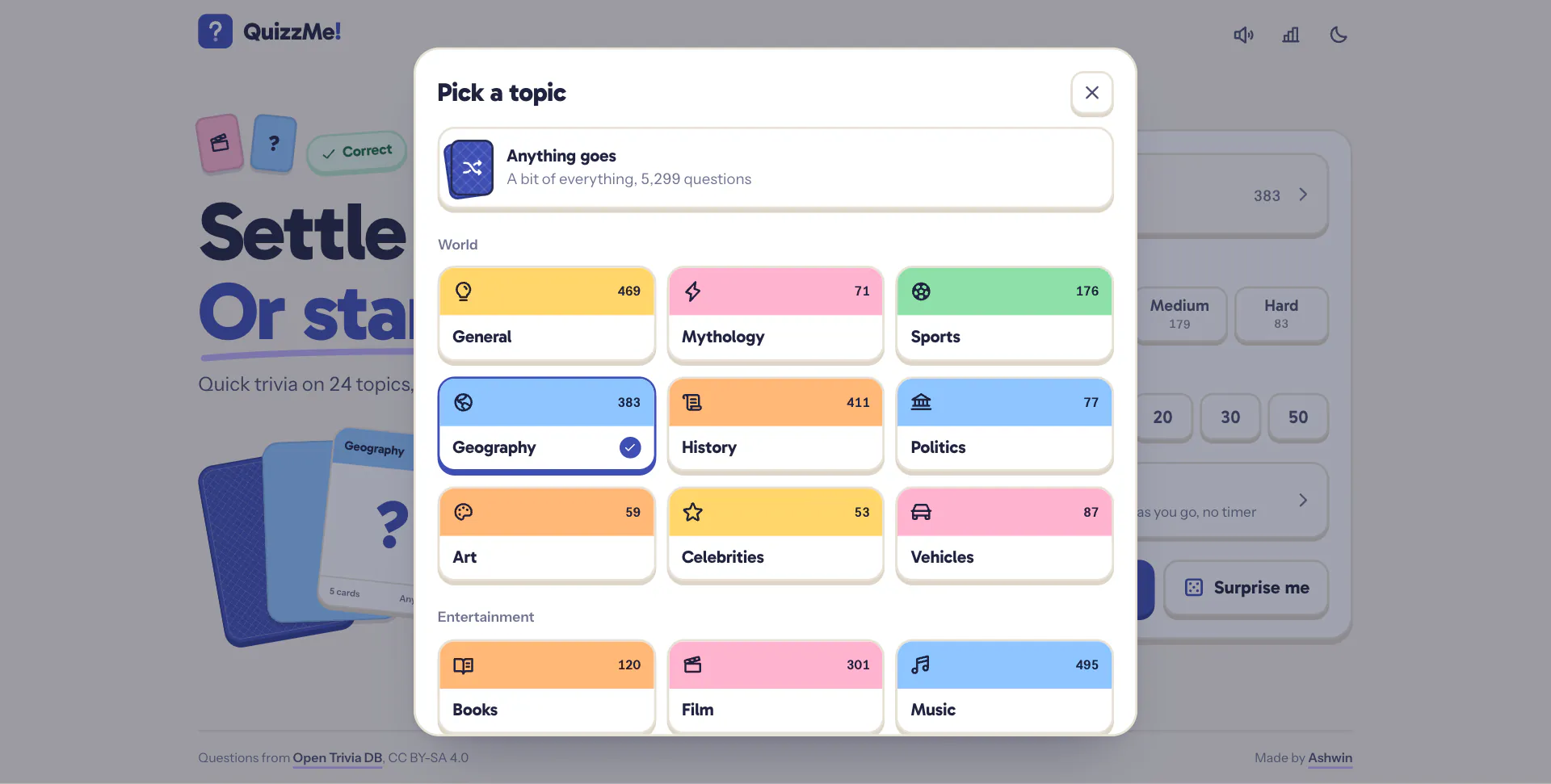
- Topics open in a sheet of small cards, each with its own printed colour, icon and question count, and the numbers roll into place like an odometer.
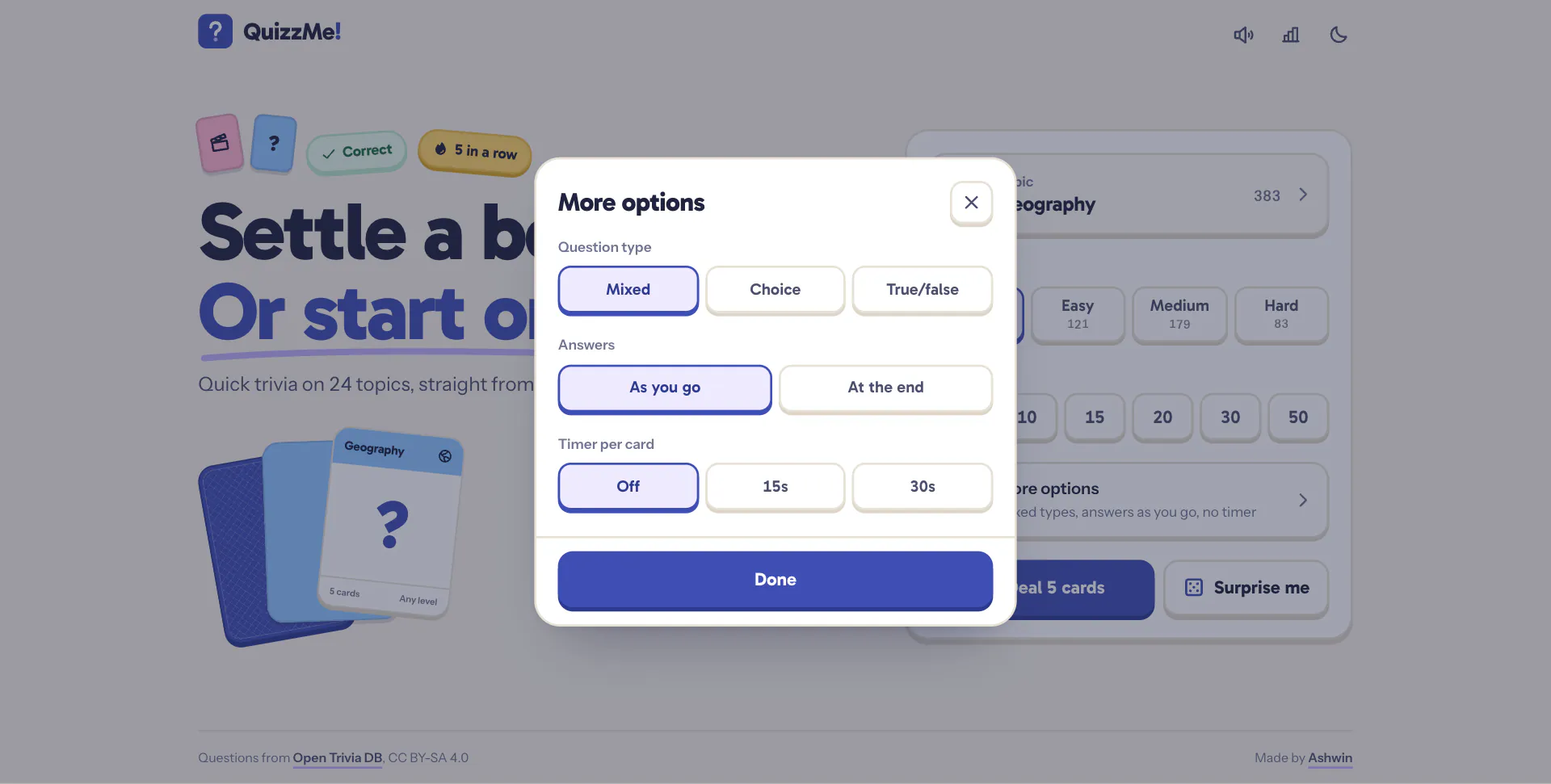
- More options hold the question type, when answers are shown, and an optional 15 or 30 second timer.
-
Play
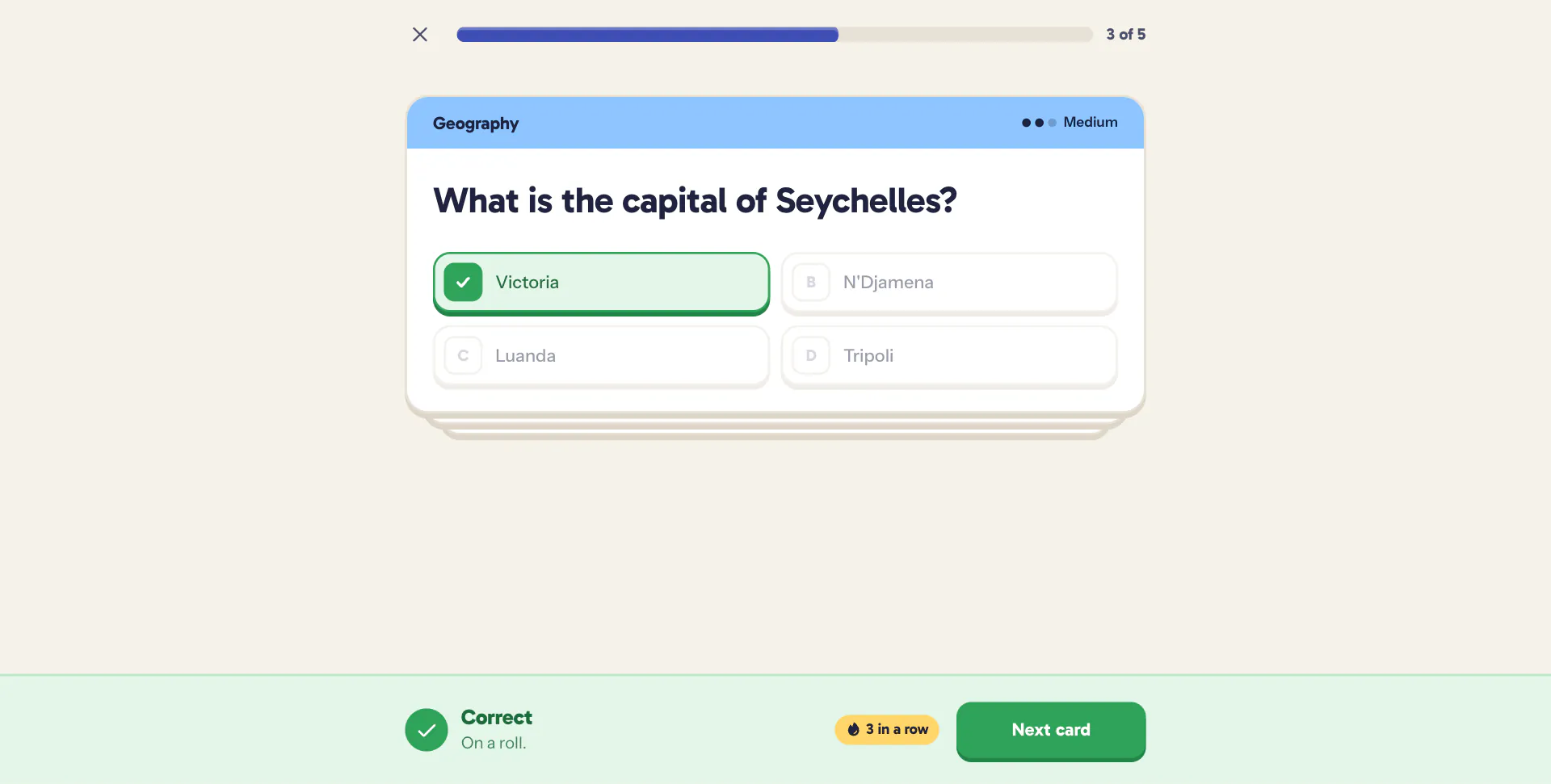
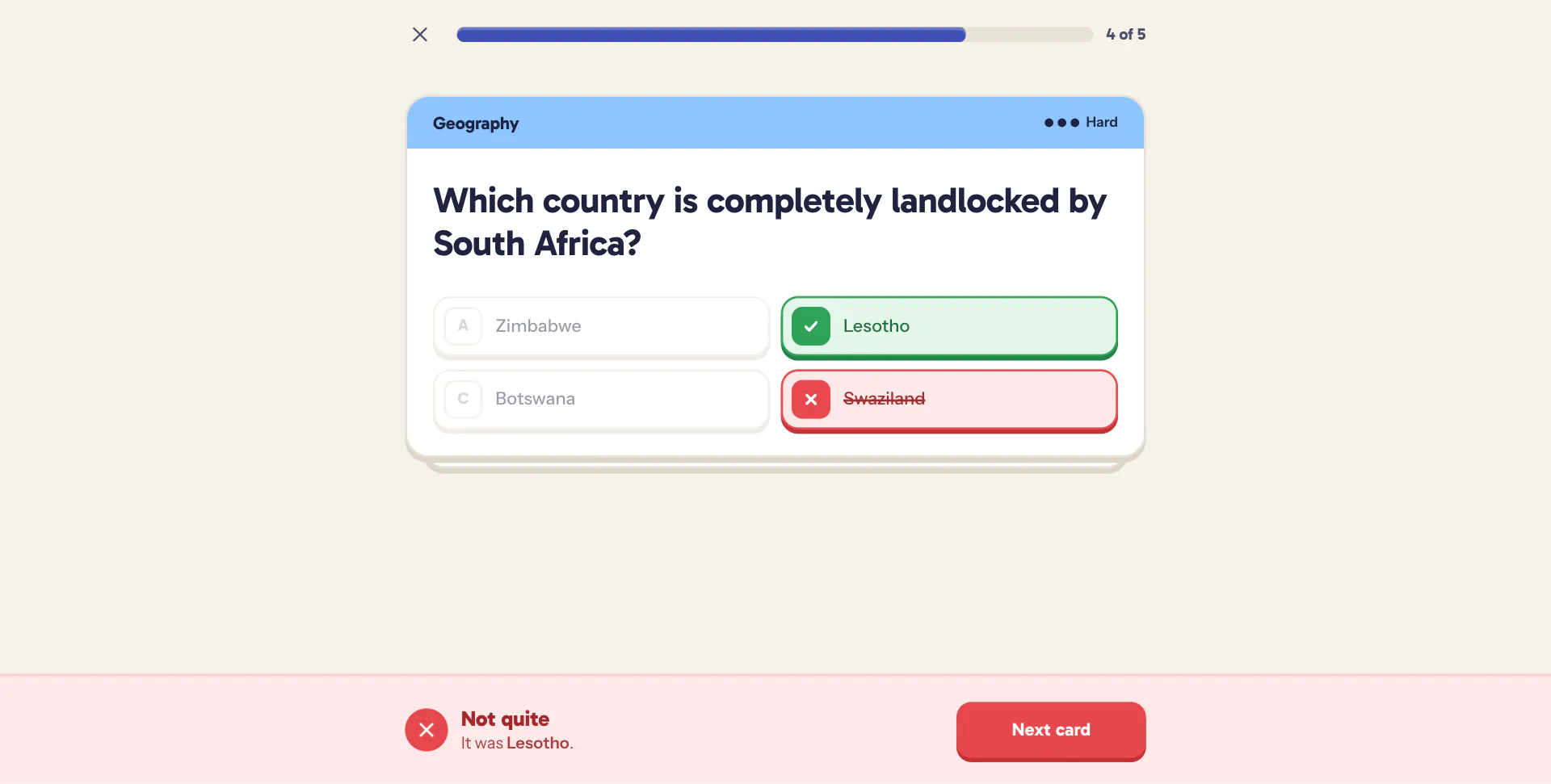
- One card at a time off a visible deck, thrown aside when you move on. Answer as you go and a banner along the bottom turns green or red with the right answer in it, with a streak chip from three in a row. Or hold every answer until the end and jump between cards from the progress segments.
1to4orAtoDto answer,Enteror→for next,←to go back in reveal at the end mode,Escto leave.- Mid-round, the back button opens the quit sheet instead of throwing the round away.
-
Results
- A scorecard with the verdict stamped on, a strip of every card right or wrong, best streak, average time, a split by difficulty, and every card to look back through.
- Practice the ones you missed, deal again, or share a green and red grid through the share sheet with a link that opens the same setup.
- A mallet arpeggio climbs for a good round and walks down for a rough one, then the stamp lands with a thump.
-
Stats
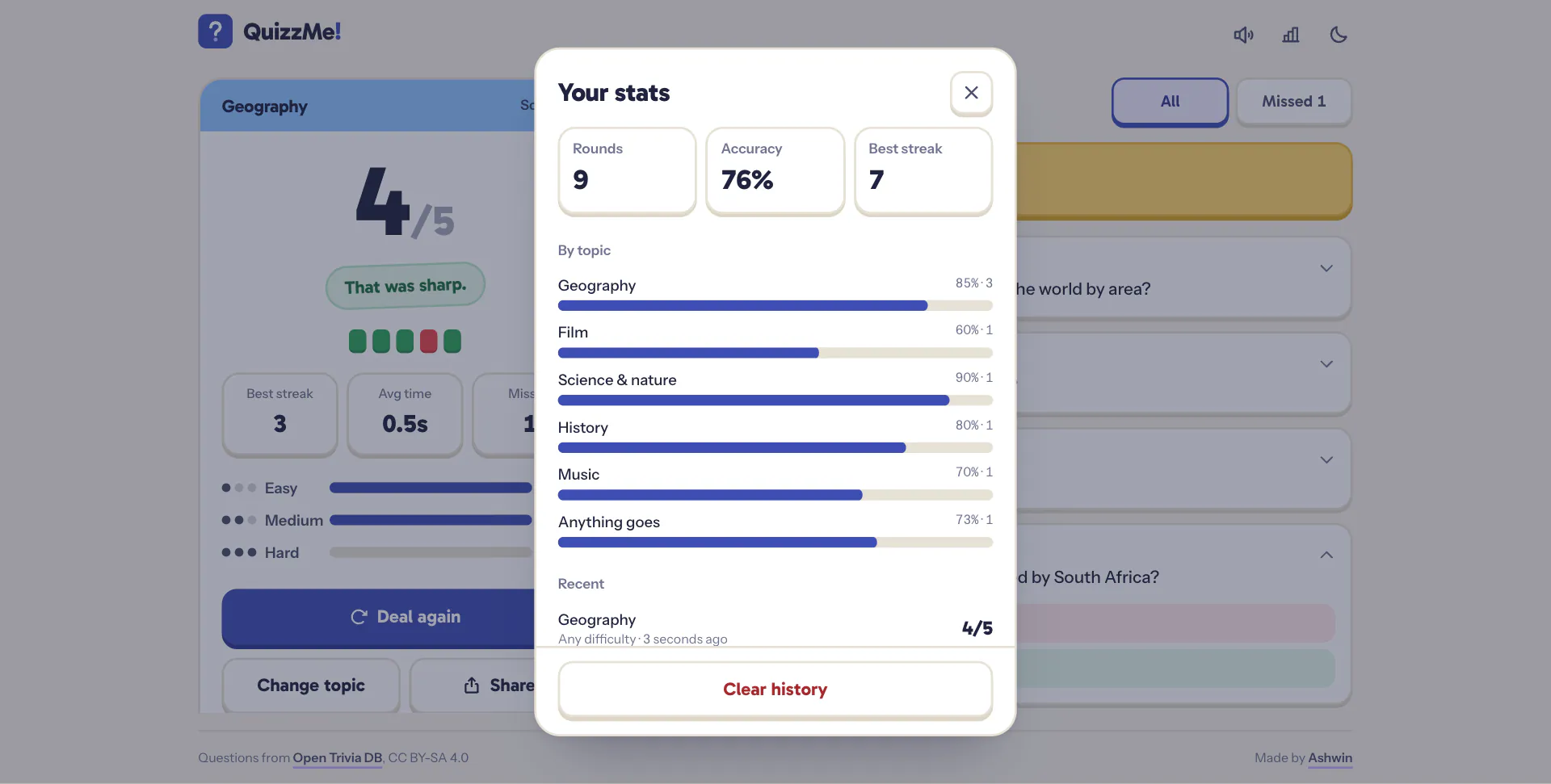
- Rounds, accuracy, best streak and accuracy by topic, from your last hundred rounds on this device.
-
404
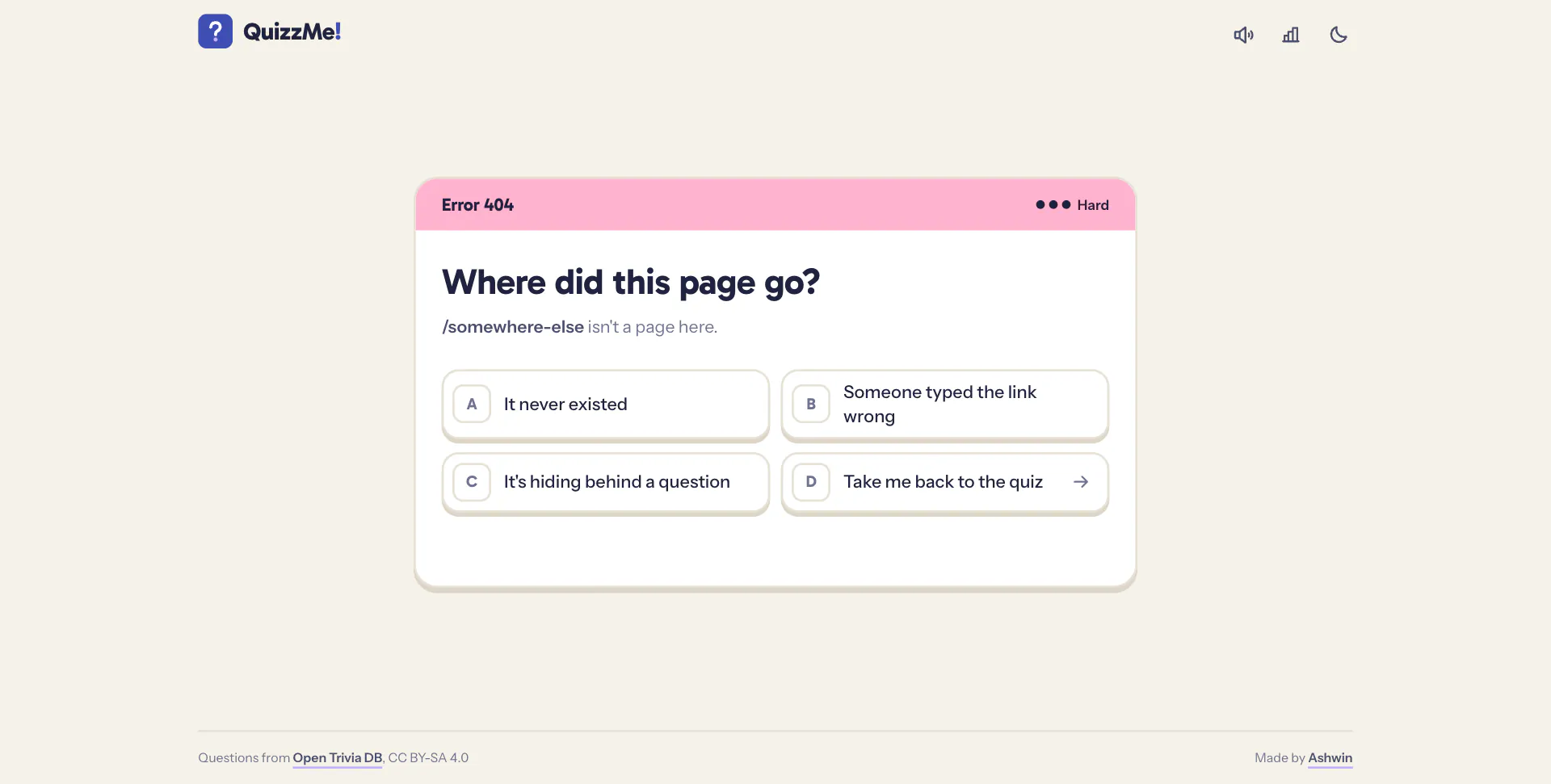
- A question too: where did this page go?
Code Walkthrough & Notable Modules
- Components (
src/components): • Setup, Play, Results: the three screens, with play, results and the 404 split out and loaded before the screen changes, so nothing blanks. • Deal: the deck glyph that shuffles while a deal is in flight, and the note under the deal button that counts down the wait or shows what went wrong, with retry. • StatsSheet, Sheet: the stats, topic, options and quit sheets, dragged to dismiss on phones. • Pips: difficulty as one, two or three dots. • RollingNumber: each digit a strip of 0 to 9 that slides to its value, with the plain number for screen readers. • Topbar, Toaster, SiteFooter: one header for every screen, which play puts its progress into, plus toasts and the footer. - Library (
src/lib): • opentdb.js: the Open Trivia DB client, with one promise-chain queue 5.2 s apart, a last-request time kept inlocalStorageso a reload can’t earn a 429, retries that know why they failed, and a token kept warm for five and a half hours. • quiz.js / quiz.test.js: pure quiz logic and its tests. • categories.js: topic names, printed colours and icons. • store.js: persisted stores for preferences, stats and the rate limit clock, plus haptics. • sound.js: synthesized sounds, from key knocks and card riffles to a marimba chime that climbs a semitone for each answer in a streak. • tip.js: tooltips on the icon buttons whose meaning isn’t obvious.
UI / Responsiveness & Design Decisions
- Game Night: a deck of trivia cards with the feel of a game you can press. Every button, chip and answer is a tactile tile, with a 2px border and a solid bottom edge it sinks into.
- The Icon’s Colours: the indigo and lilac from the app icon carry the brand: the main action, what’s selected and the backs of the cards. Warm paper in light mode, near-black in dark.
- Printed Topic Colours: yellow, blue, green, pink and orange across the top of each card, with difficulty as dots.
- Typography: Gabarito for anything printed on a card or a button, Instrument Sans for what you read. Sentence case everywhere.
- Feedback You Can’t Miss: answers tick or strike through as you watch, and the banner along the bottom keeps one height in every state, so answering never moves the page.
- Motion That Means Something: cards are dealt, thrown and pulled back, and the verdict is stamped. A few durations, one ease-out curve, no blur.
- One Screen, Any Screen: setup, play and the 404 fit without scrolling from an iPhone SE to a 1920 px desktop; from tablets up, results hold still and only the list of cards scrolls.
- Phone First: 44 px touch targets, safe-area padding, actions pinned to the bottom where thumbs are, and sheets you can throw.
- Nothing Jumps: self-hosted, preloaded fonts with metric-matched fallbacks, and layout shift measured through a whole round: 0.
- Light and Dark: follows the system until you choose; choose, and the new theme grows out of the toggle in a circle.
- Accessible: keyboard control for everything, and movement becomes fades when the system asks for reduced motion.
Challenges & Learnings
- Designing around an API’s limits instead of hiding them: a queue, a clock that survives a reload, and a wait said out loud under the button you pressed.
- Not serving repeats, and knowing what to do when a mix runs dry.
- Keeping quiz logic in pure, tested functions, so the UI only ever reads state.
- Keeping the card steady when questions and answers vary wildly in length, and the feedback banner one height in every state.
- Making a busy state that never flashes: it only shows after 250 ms, and then stays for at least 450 ms.
- Using Motion for dealing, presence and springs, and CSS for presses and hovers.
- Synthesizing small sounds with the Web Audio API, and waiting until a browser lets audio start.
Future Improvements
- Daily Round: the same questions for everyone, once a day.
- Head to Head: rounds with a friend from one link.
- Sync: stats that follow you across devices.
Screens & Visuals
Home
Topic Picker
More Options
Streak
Wrong Answer
Reveal at the End
Scorecard and Review
Your Stats
404