Overview
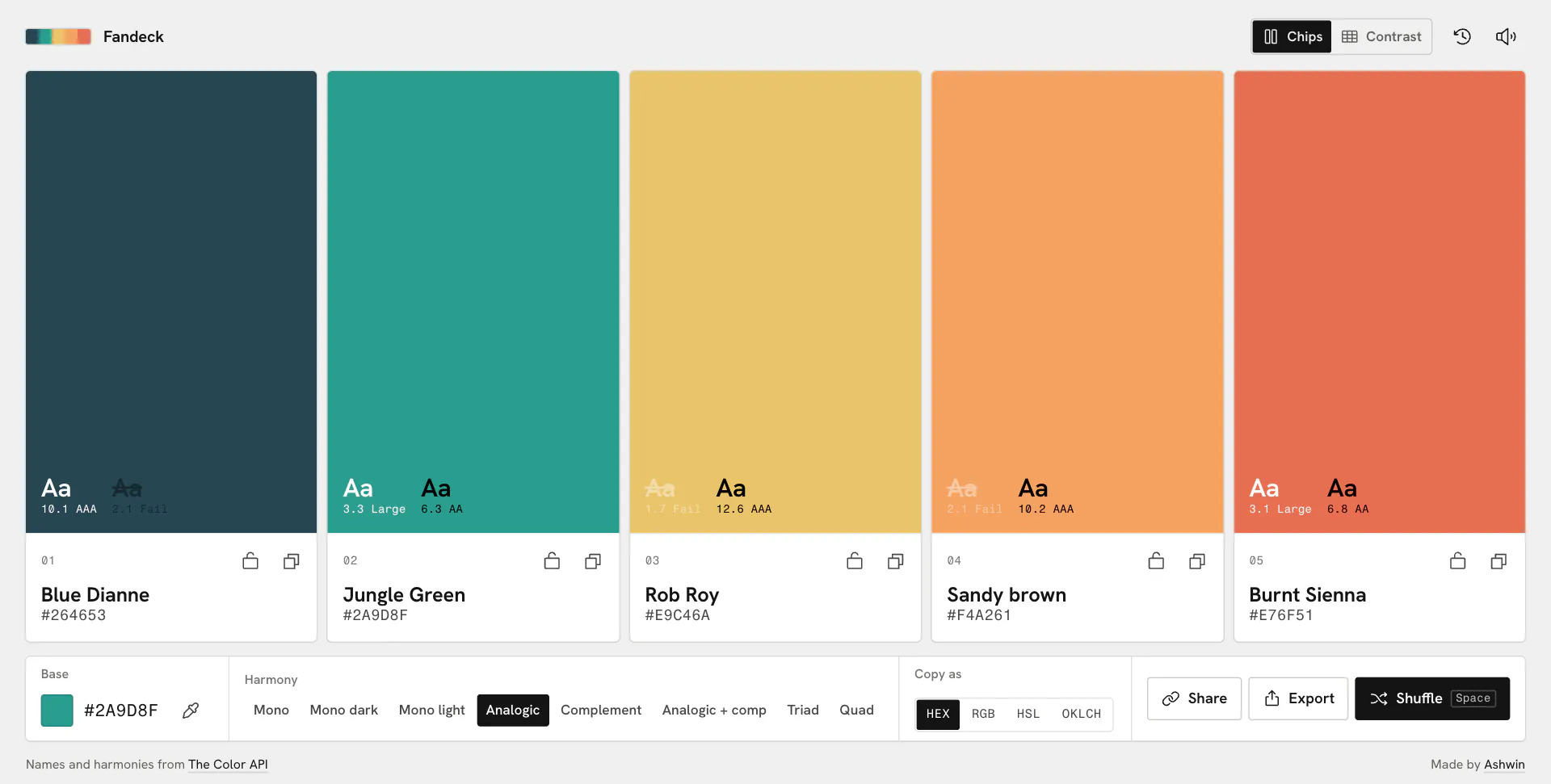
Fandeck is a palette tool named after the fan of paint chips you flip through in a paint store. Pick one color and a harmony and it hands back five that work together, laid out like paint chips with a name, a value and live text samples on each. Lock the ones you like, shuffle the rest, check every pair for contrast, and take the palette away as CSS, Tailwind, JSON or a PNG. It is plain HTML, CSS and JavaScript with no framework, build step or dependencies, and the harmonies and color names come from the Color API.
The first version, Color Scheme Generator, was a color input, a dropdown of harmonies and five swatches to copy. This rebuild keeps it vanilla and asks what picking a palette should actually feel like: judged against neutral grey, checked for contrast, and ready to drop into a project.
Live: fandeck.ashwin.co.in
Source code: Explore Repo
Goals & Problems Solved
- Live, Not a Button: The palette follows as you change the base color or the harmony, with no generate button in between.
- Every Harmony at Once: All eight modes the Color API offers, side by side instead of hidden in a dropdown.
- Keep What Works: Lock any chip and shuffle the rest, with undo for anything you regret.
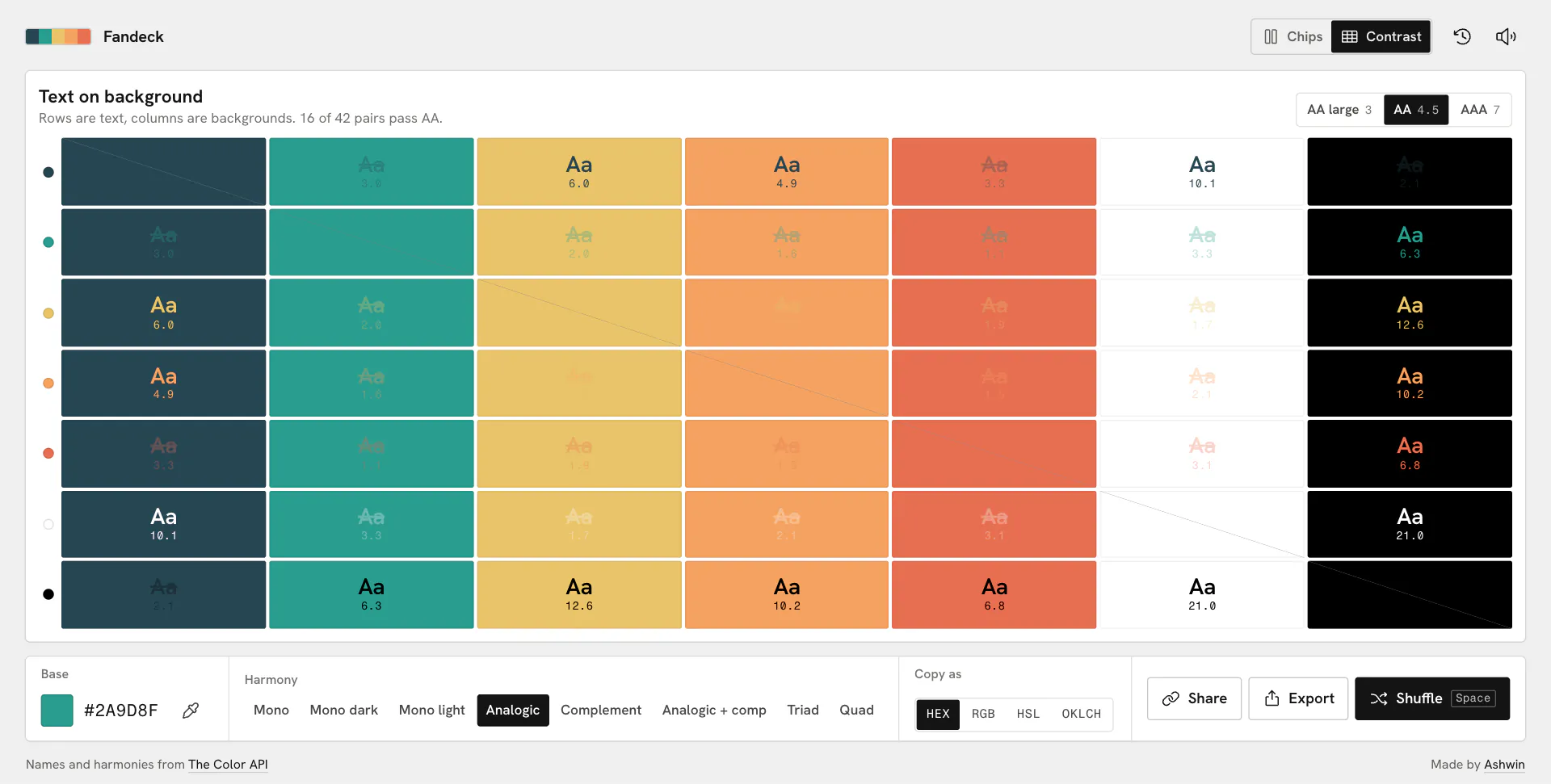
- Readable Pairs: Live white and black text samples on every chip, and a grid that checks every color against every other.
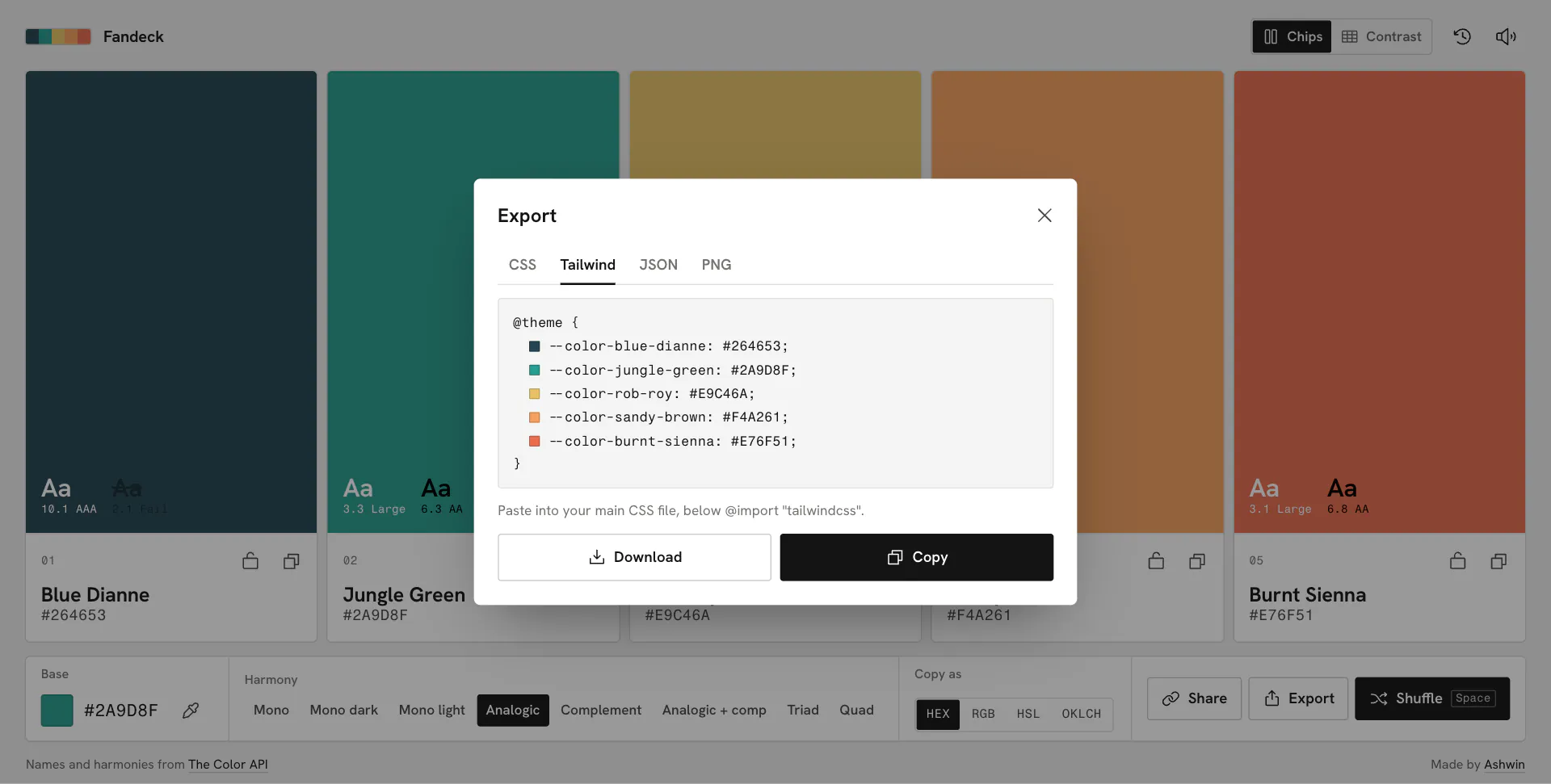
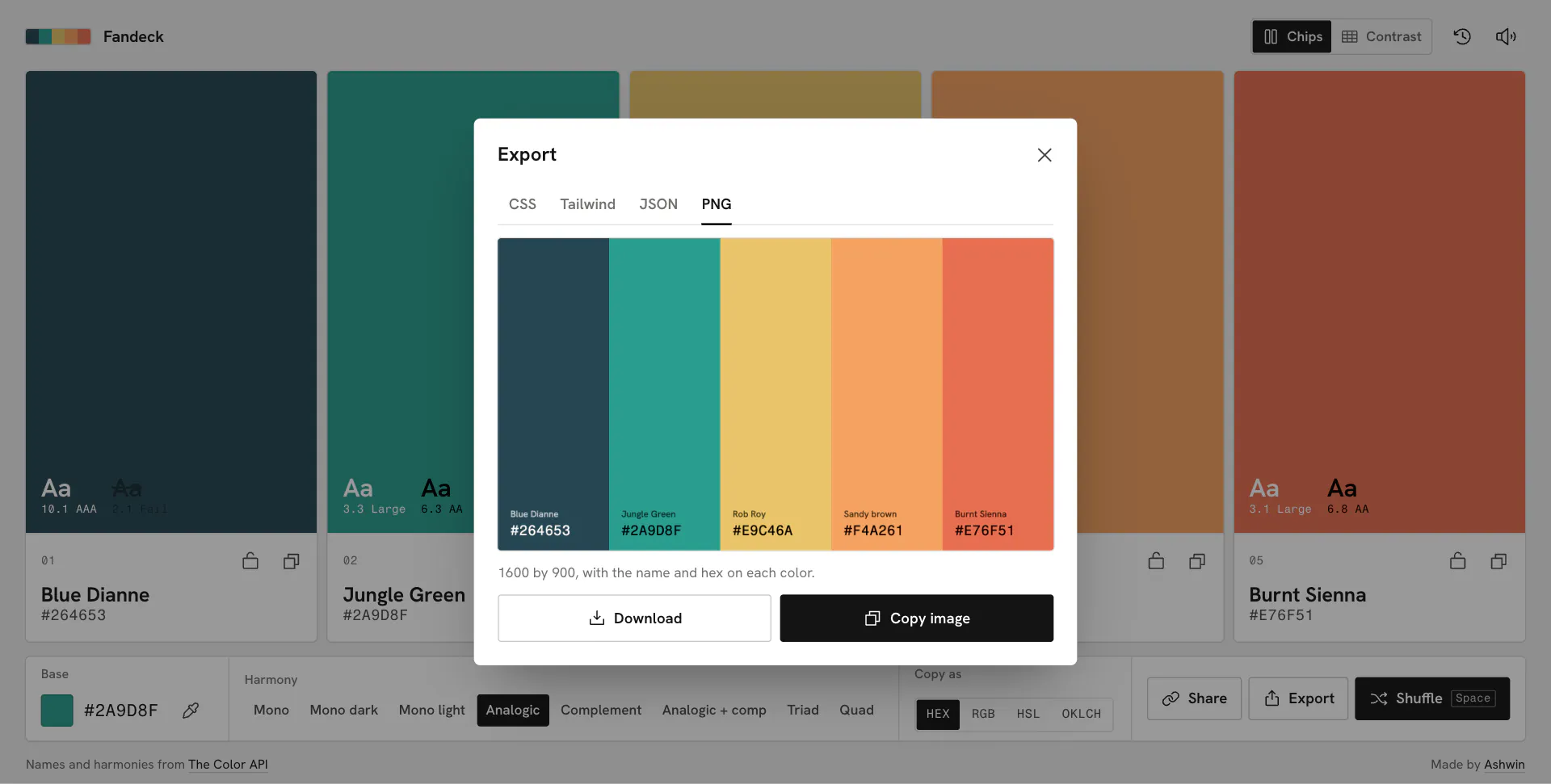
- Take It Away: Copy in HEX, RGB, HSL or OKLCH, or export CSS variables, a Tailwind v4
@themeblock, JSON or a PNG. - Works When the API Doesn’t: A local fallback mixes the same harmony when the Color API is down.
Architecture & Tech Stack
| Layer | Technology / Library | Purpose |
|---|---|---|
| Markup / Style | HTML, CSS | One page and one stylesheet, with container queries and :has() |
| Script | JavaScript ES modules | Nine small modules loaded straight by the browser, no build step |
| Motion | CSS transitions, Web Animations API | Staggered color crossfades, the sliding harmony highlight and sheets |
| Data API | Color API | Harmonies from /scheme and color names from /id |
| Color Maths | Hand-written OKLCH and WCAG 2 contrast | Conversions, contrast ratios, the offline mixer and token names |
| Type / Icons | Hanken Grotesk, Fragment Mono, Phosphor | Self-hosted fonts and an inline SVG icon sprite |
| Hosting | Vercel | Static files |
Key Features & UX Flow
-
The Chips
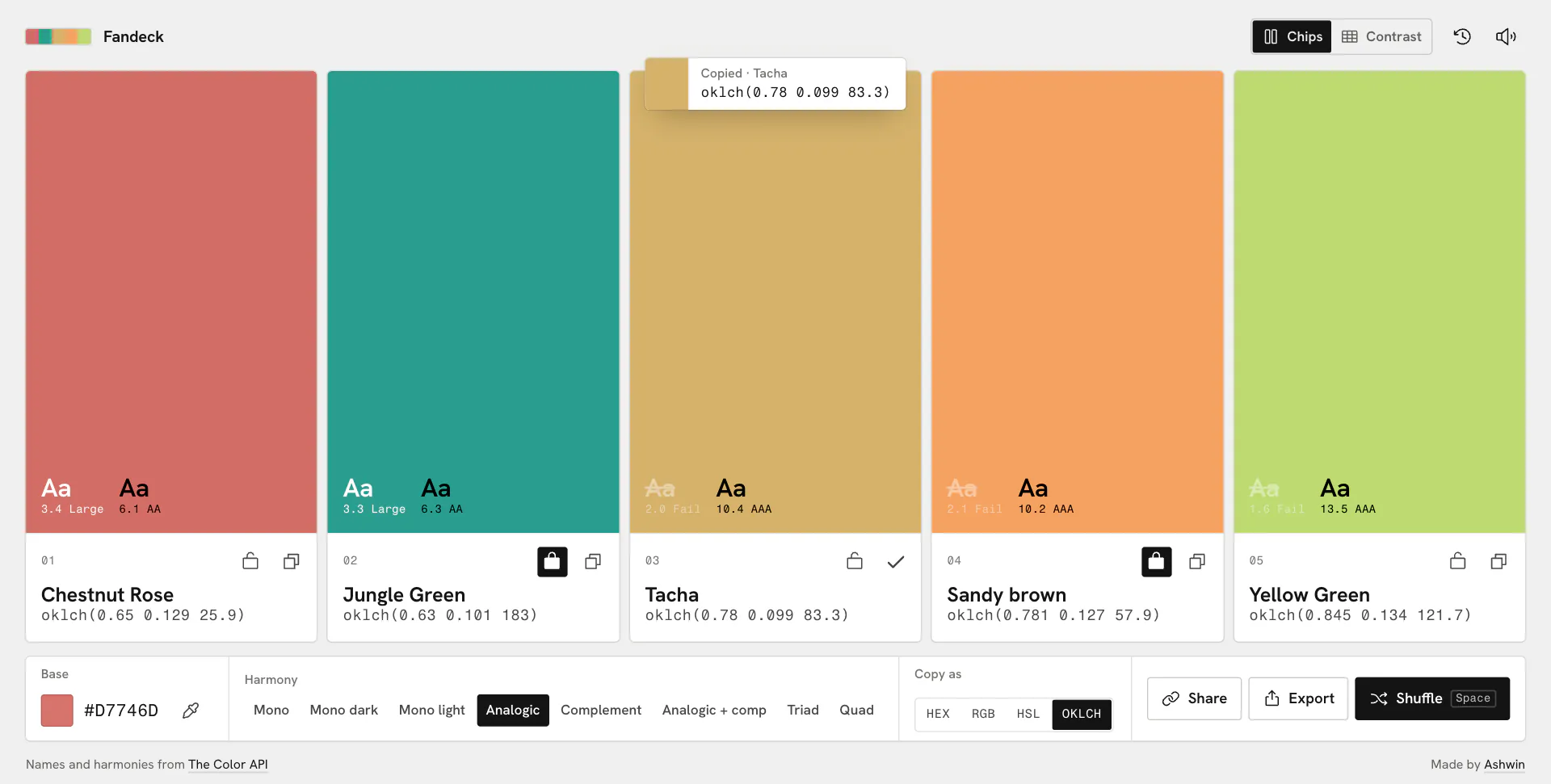
- Five chips, each a field of color on top and a white label underneath with a number, a name and a value, so text always sits on white.
- Every chip shows white and black “Aa” on the color with its WCAG ratio; a pair that fails is struck through.
- On phones the chips turn sideways into rows.
-
Base and Harmony
- Mono, mono dark, mono light, analogic, complement, analogic plus complement, triad and quad, all in view.
- Changes are debounced by 260 ms and a new request cancels the one in flight, so the last color you touched is the one you get.
-
The Picker
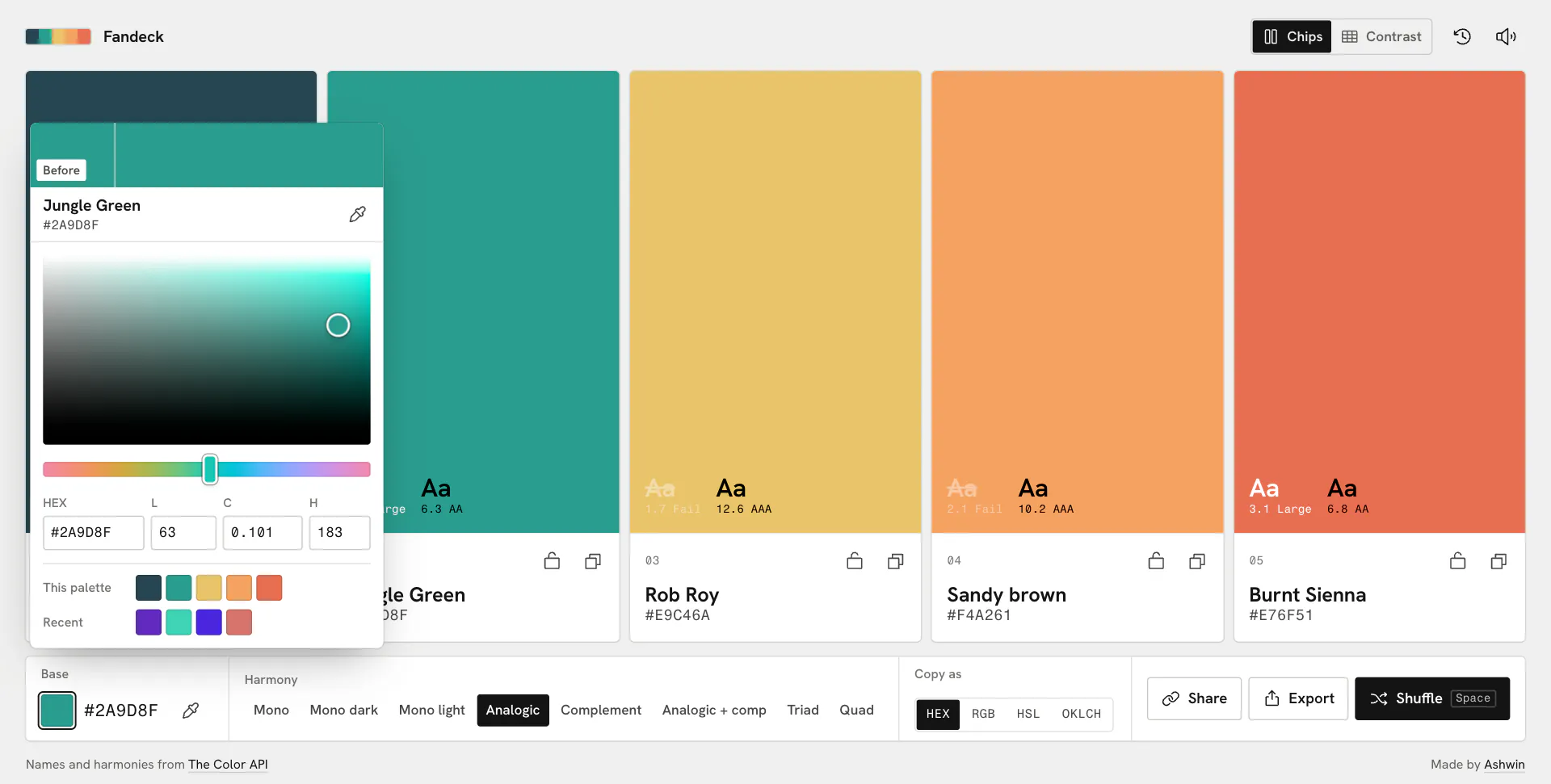
- A lightness by chroma square in OKLCH where every row runs from grey to the most saturated color a screen can show at that lightness, so the square is always full and you can never pick outside the gamut.
- A hue strip, HEX, L, C and H fields, a before and after chip that restores your old color in one tap, the live color name, this palette and recent bases as quick picks, and the eyedropper in Chrome and Edge.
-
Lock, Shuffle and Undo
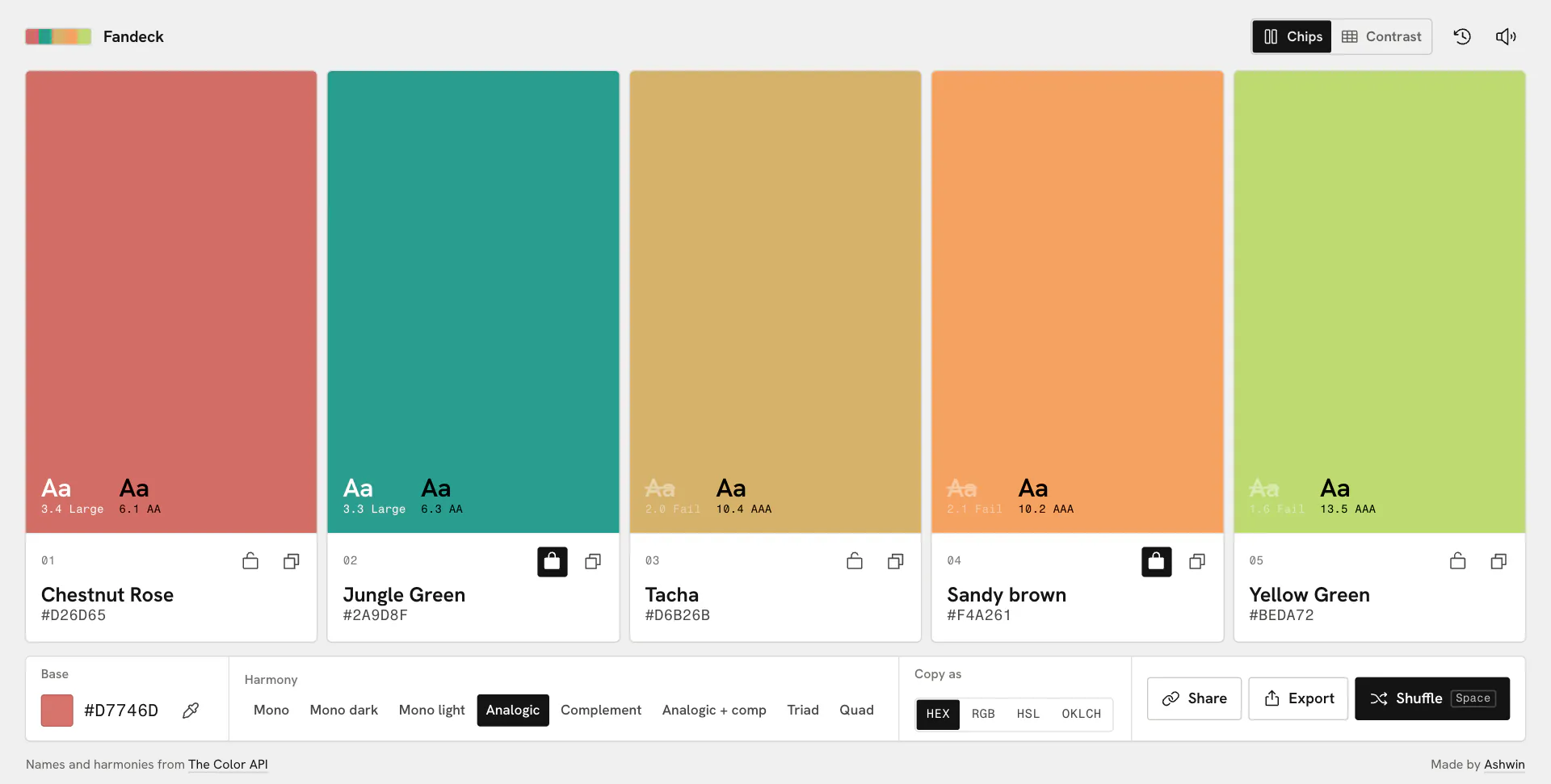
- Lock any chip and it stays put while the others change.
Spaceshuffles to a random base. CmdorCtrl+Zsteps back through shuffles, mode changes and restores.
- Lock any chip and it stays put while the others change.
-
Contrast
- Every palette color, plus white and black, as text on every other: 42 pairs with their ratios.
- Pick AA large, AA or AAA and the pairs that miss fade out. Tap a pair to copy it as
colorandbackground-color.
-
Copy and Export
- Copy as HEX, RGB, HSL or OKLCH; the choice changes what the chips show, what a tap copies and what the exports write.
- Export as CSS custom properties, a Tailwind v4
@themeblock, JSON with every format, or a 1600 by 900 PNG, then copy or download.
-
Share, Recent and Keyboard
- The address bar always holds the current palette, and share copies it or opens the share sheet on phones. Links in the old
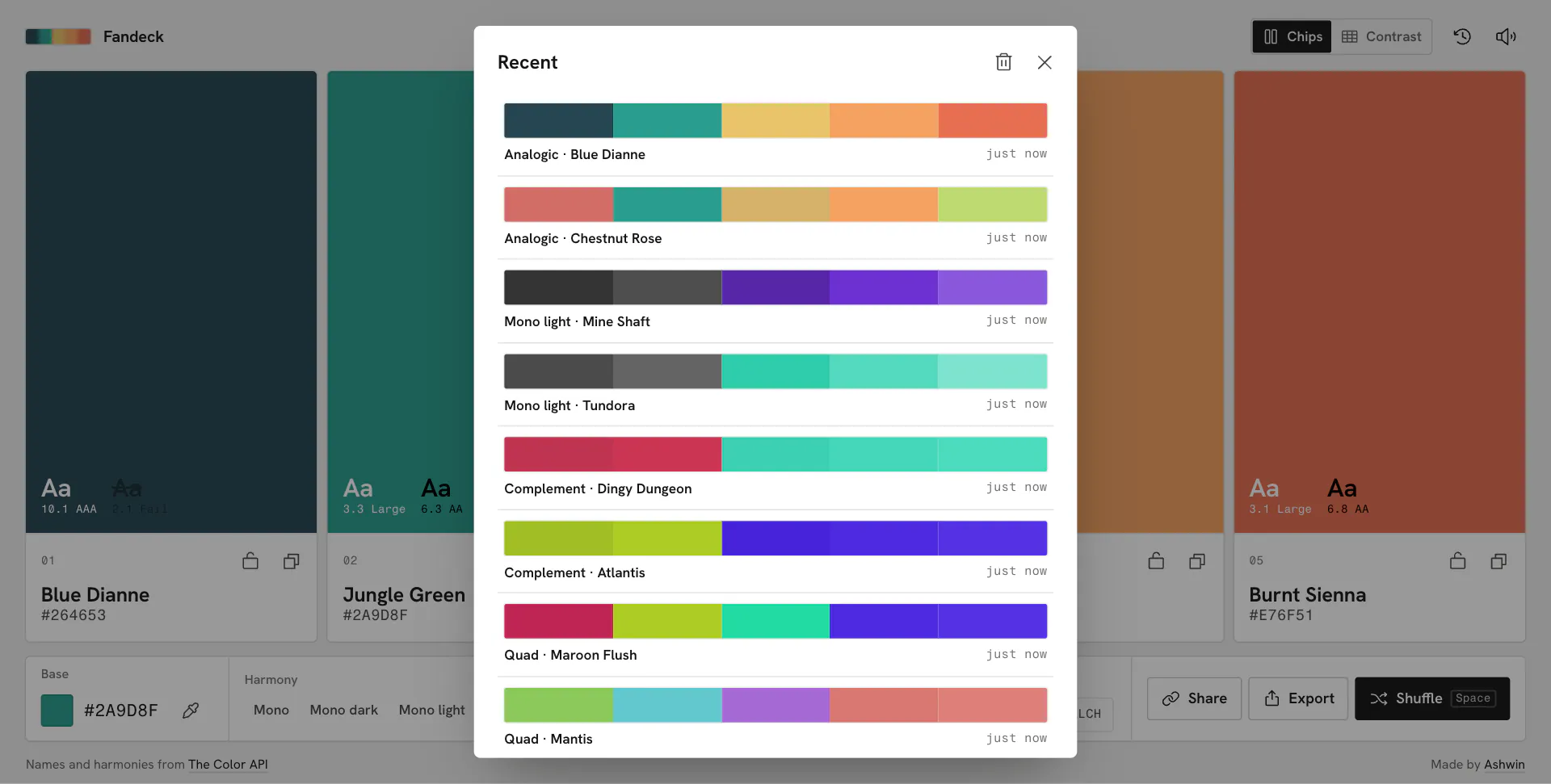
?palette=format still open. - The last 24 palettes are kept on the device, a tap away.
1to5copy a chip,Pswitches between chips and contrast, and arrows move through any group.
- The address bar always holds the current palette, and share copies it or opens the share sheet on phones. Links in the old
Code Walkthrough & Notable Modules
- index.html: the page, the icon sprite, the harmony picker written straight into the markup, and both sheets.
- index.css: tokens, then every component, in one file.
- js/:
• main.js: state, chips, the contrast grid, the control bar, sheets and keyboard.
• picker.js: the base color picker, with its OKLCH square, hue strip, fields and quick picks.
• api.js: the Color API client and a name cache, with a patch for a color the API mislabels.
• color.js: conversions, contrast, the offline mixer and token names for the exports.
• exporters.js: CSS, Tailwind, JSON and PNG.
• sheet.js: the export and recent sheets, with drag to dismiss.
• sound.js, store.js, tip.js: synthesized ticks,
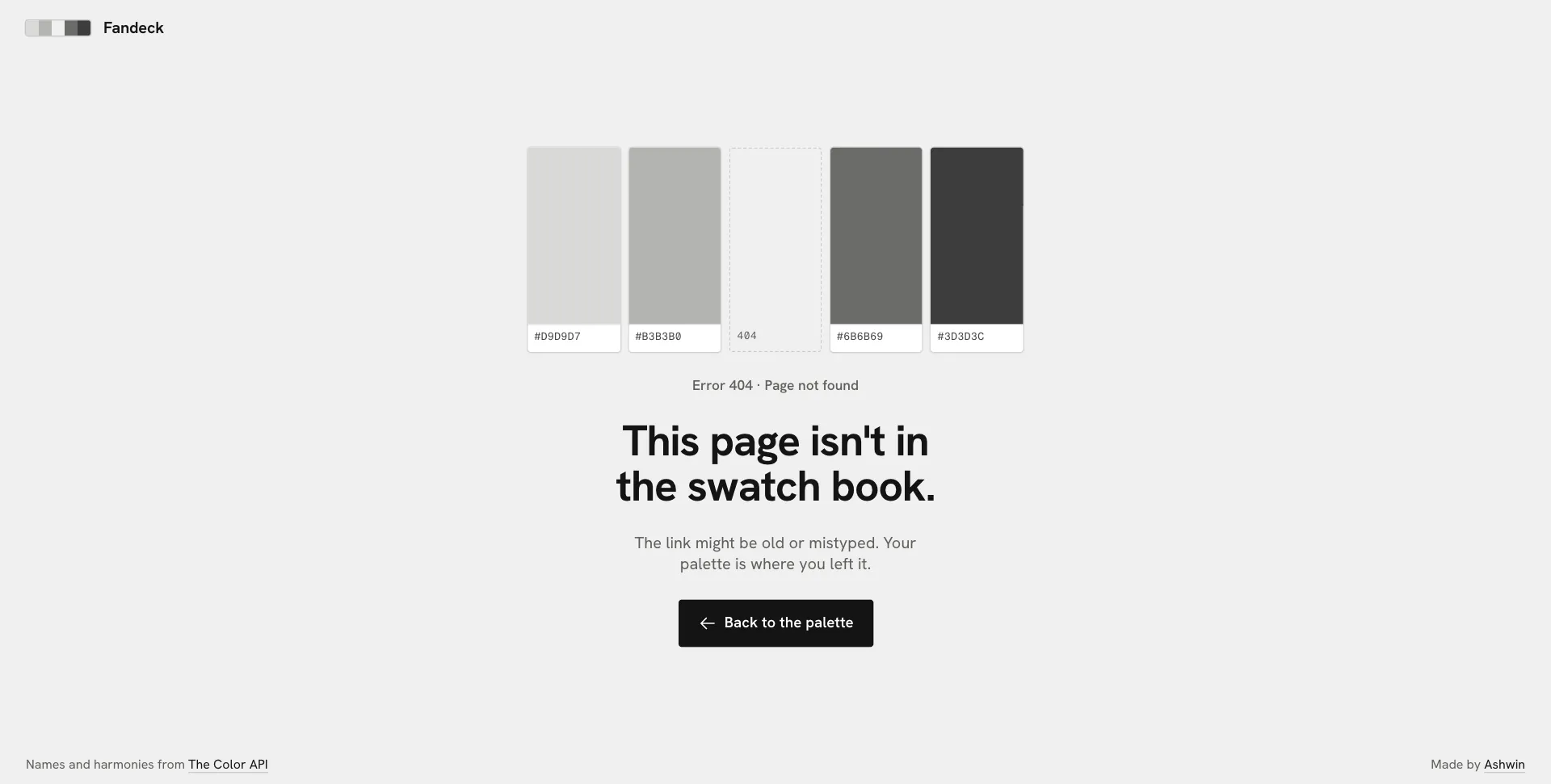
localStoragewith history and haptics, and tooltips only where an icon could be misread. - 404.html: a swatch book with the middle chip missing.
UI / Responsiveness & Design Decisions
- No Accent Color: Color is judged against neutral grey, so the interface has none of its own. Everything is white, grey and ink, and the only color on the page is yours.
- Light Only: A dark theme adds nothing to a color tool, so there is no toggle; the page is a neutral paper grey.
- Typography: Hanken Grotesk for names and labels, and Fragment Mono for every value, drawn from Helvetica like the labels on real Pantone chips.
- Flat and Ruled: 3 px corners, one pixel rules between the sections of the control bar, sentence case labels, and no gradients, blur or glow.
- One Hover Everywhere: A faint fill on anything clickable and a thin ring on colors.
- One Screen, Every Screen: From a 320 px iPhone SE to a 2560 px monitor, portrait or landscape, the whole app fits without scrolling; container queries shrink a chip’s label as the chip gets shorter.
- Nothing Jumps: Self-hosted, preloaded fonts with metric-matched fallbacks, and layout shift measures 0.
- Accessible: Keyboard control for everything, labelled controls, and
prefers-reduced-motionswaps motion for plain fades.
Challenges & Learnings
- Keeping live updates honest while dragging, with a debounce and
AbortControllerso stale answers never land. - Staying useful when the Color API is down, with a local HSL mix and names filled in once it is back.
- Building a picker square that is always full, by running each row out to the gamut edge at that lightness.
- Working out OKLCH and the WCAG contrast formula by hand, so the numbers match any contrast checker.
- Designing a color tool with no color of its own.
- Fitting one screen at every size with container queries, and getting layout shift to zero.
- How far plain HTML, CSS and ES modules go before a framework earns its keep.
Future Improvements
- Palette Size: palettes of more or fewer than five colors.
- APCA: APCA contrast alongside WCAG 2.
- From an Image: pull a palette out of a photo.
Screens & Visuals
Home
Color Picker
Locked and Shuffled
Copied as OKLCH
Contrast Grid
Export to Tailwind
Export as PNG
Recent Palettes
404