Overview
MovieVault is a streaming guide and watchlist. It shows where any film, series or anime is streaming in your region, lays out whole franchises in release order, charts every series episode by episode, and keeps a vault of what to watch next. It is built with React 19, React Router 8, TailwindCSS 4 and Vite 8, with every title, collection, season, person, studio and streaming provider coming from the TMDB API.
The first version was a watchlist with a search box, with Motion for its transitions. This rebuild starts from the question that version never answered, where can I watch this tonight?, and drops every animation and data-fetching library along the way: the motion is plain maths and the View Transitions API.
Live: movievault.ashwin.co.in
Source code: Explore Repo
Goals & Problems Solved
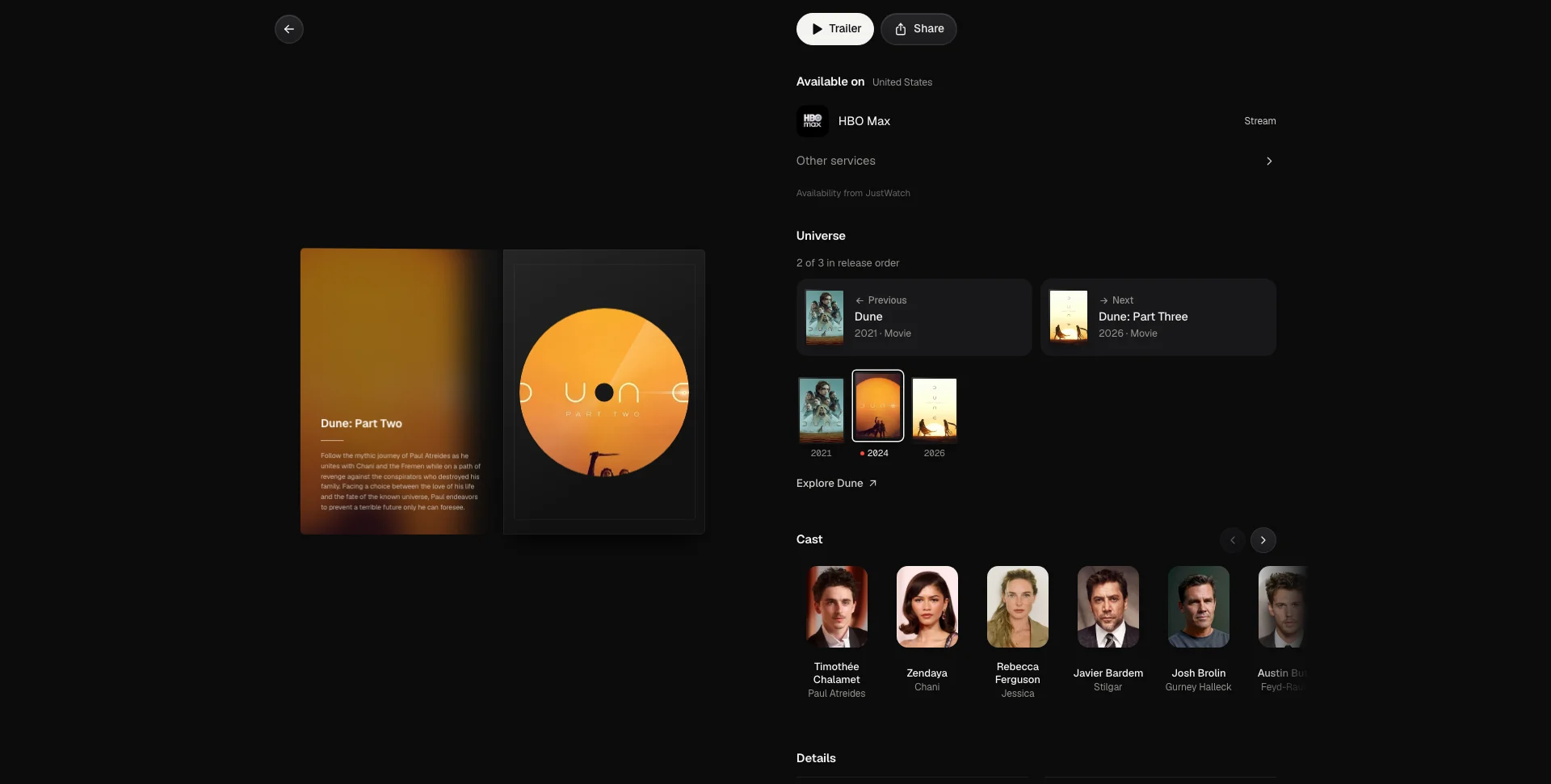
- Where to Watch: Every title lists the services it streams, rents or sells on in your region, with the services you pay for first. Availability comes from JustWatch through TMDB.
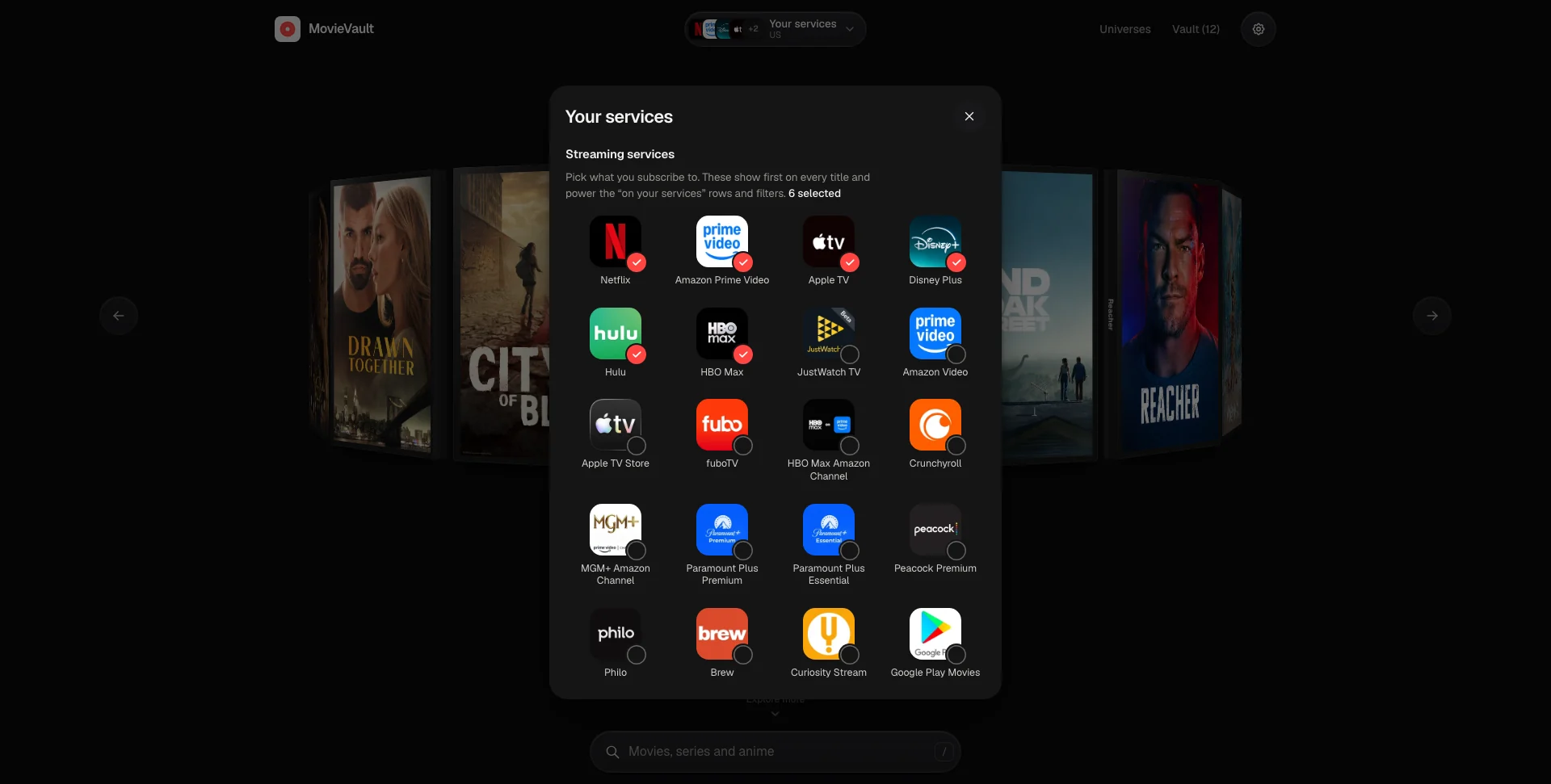
- Your Services: Pick your streaming services and region once; home and search then show what you can actually watch.
- Films, Series, Anime and People: One search across all four, with anime recognised through TMDB’s anime keyword. Paste an IMDb link and it finds the title.
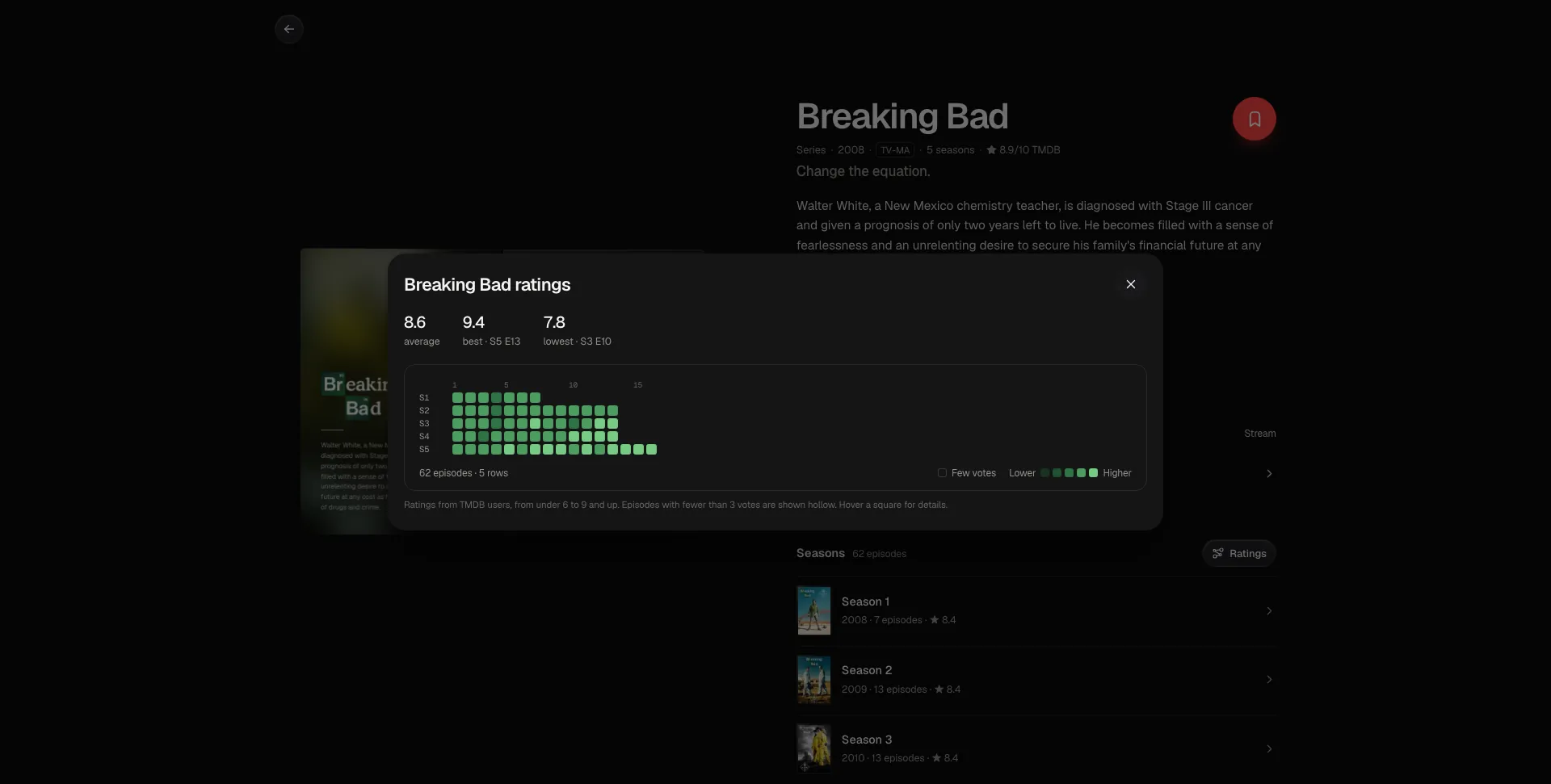
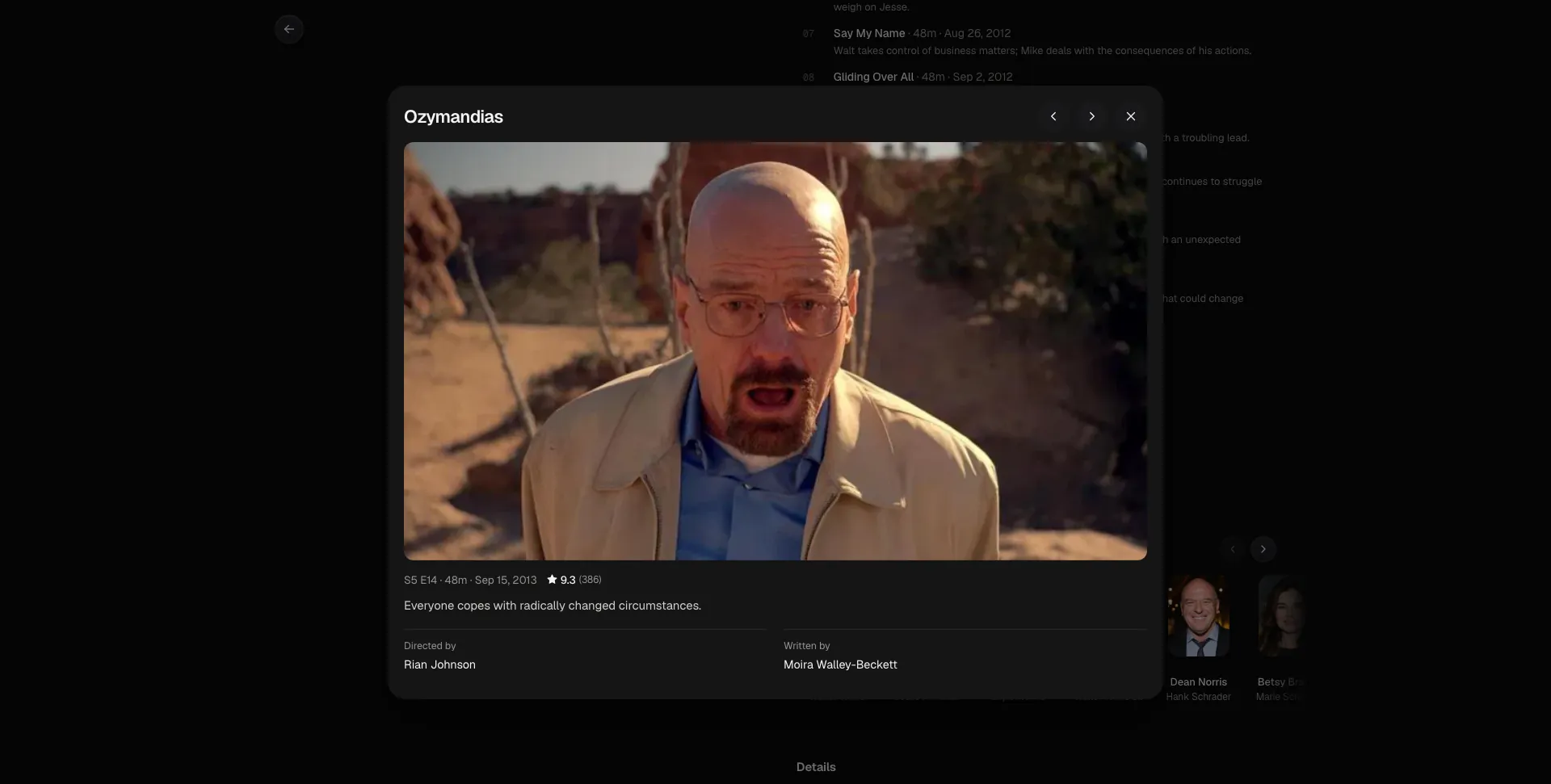
- Episodes Up Close: A ratings graph for every series, and an episode sheet with the still, crew, guest stars and clips.
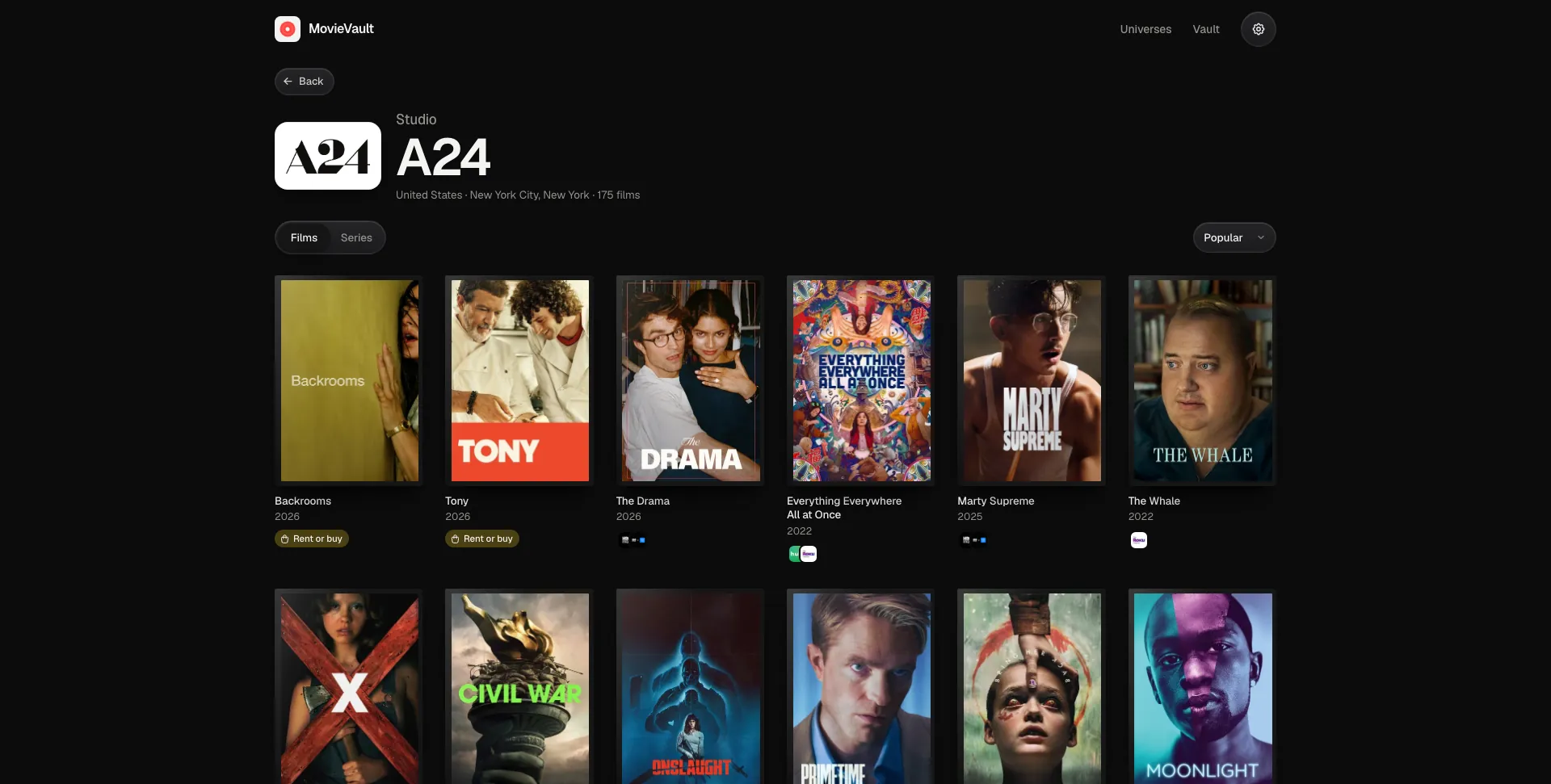
- Following a Thread: Cast and crew, studios, networks and tags each open a page of everything else under them.
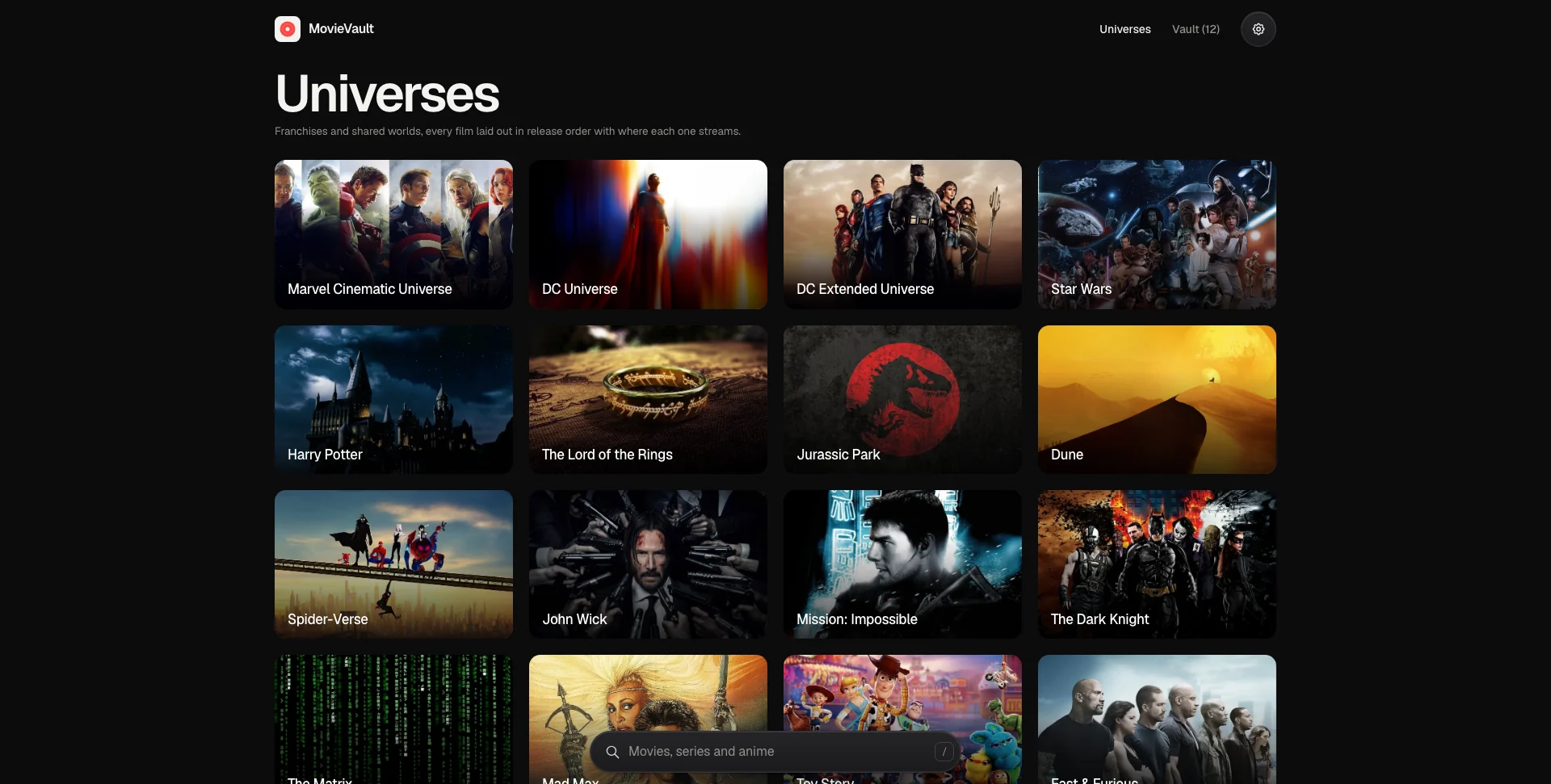
- Universes: Franchises like the MCU, Star Wars, Middle-earth and Dune as release-order timelines.
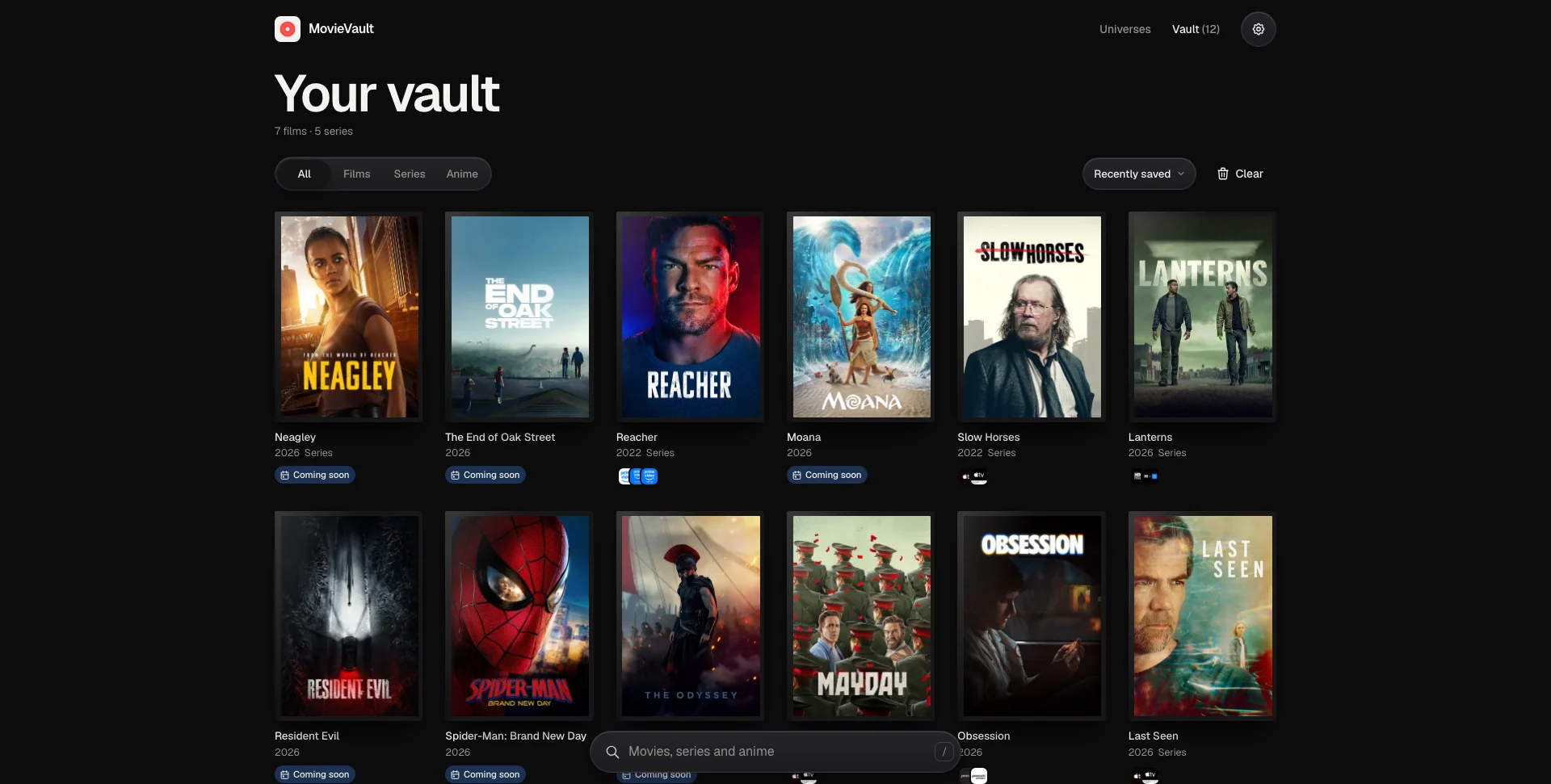
- A Vault: Save anything, filter and sort it, and undo any removal.
- What’s New: New episodes of saved series, what’s in cinemas near you, and what just came out on digital.
- Motion with a Purpose: Transitions that show where you are going and bring you back to where you were.
Architecture & Tech Stack
| Layer | Technology / Library | Purpose |
|---|---|---|
| Framework / Build | React 19, Vite 8 | Component-based UI, fast dev server & production builds |
| Routing | React Router 8 (data router) | Navigation through the View Transitions API, with scroll restoration |
| Styling | TailwindCSS 4 reset, hand-written CSS | A token-based stylesheet with light and dark themes |
| Motion | View Transitions API, requestAnimationFrame | Shared-element page transitions and the spring-driven reel |
| Logic / State | JavaScript | A cached query hook, persisted stores and API status tracking |
| Data API | TMDB API | Titles, collections, seasons, episode groups, people, studios, videos and providers |
| Icons / Tooling | Tabler Icons, Biome | Icon set, linting and formatting |
| Hosting | Vercel rewrites | TMDB and its images served through the site’s own domain and cached at the edge |
Key Features & UX Flow
-
The Reel
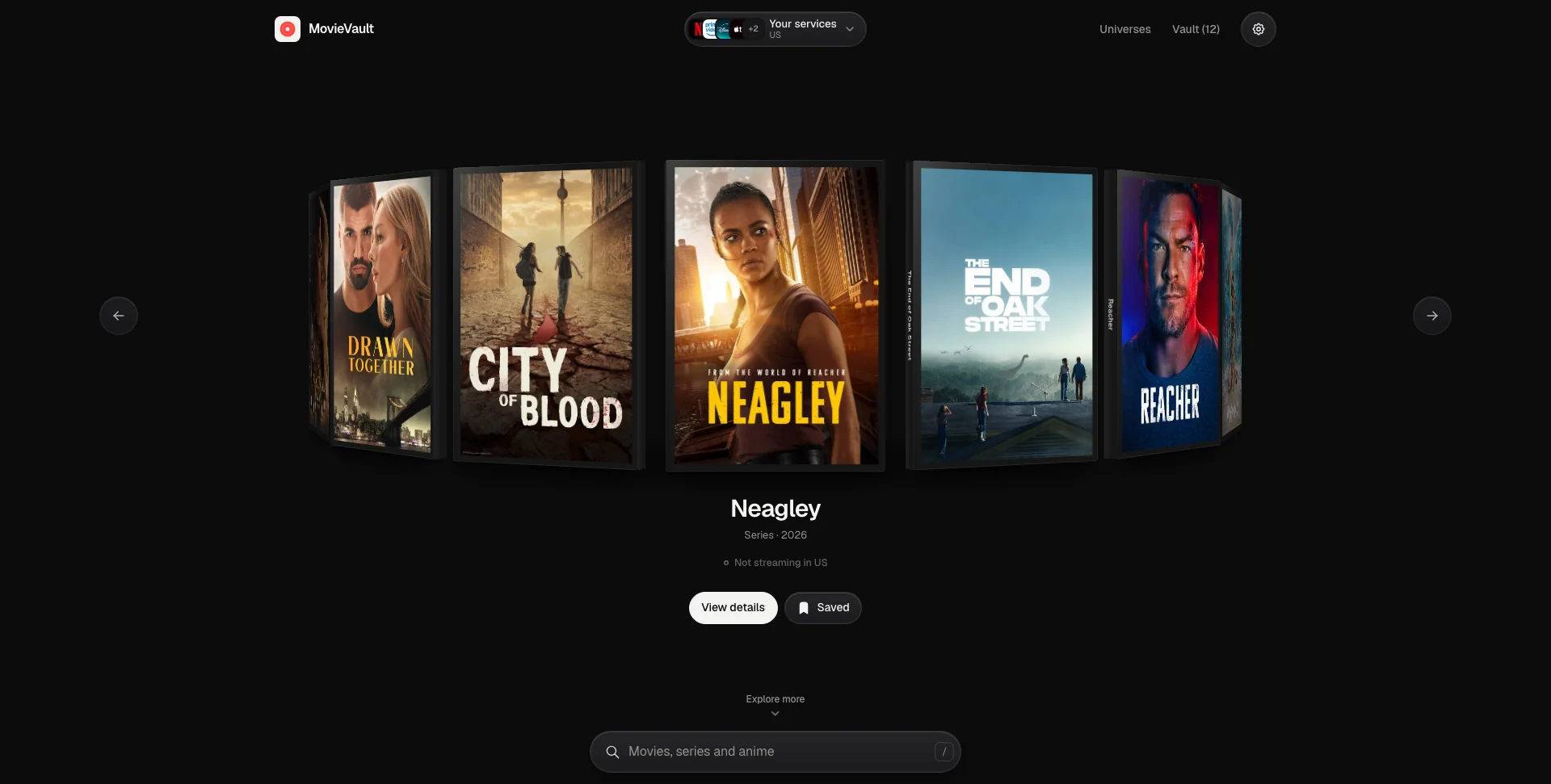
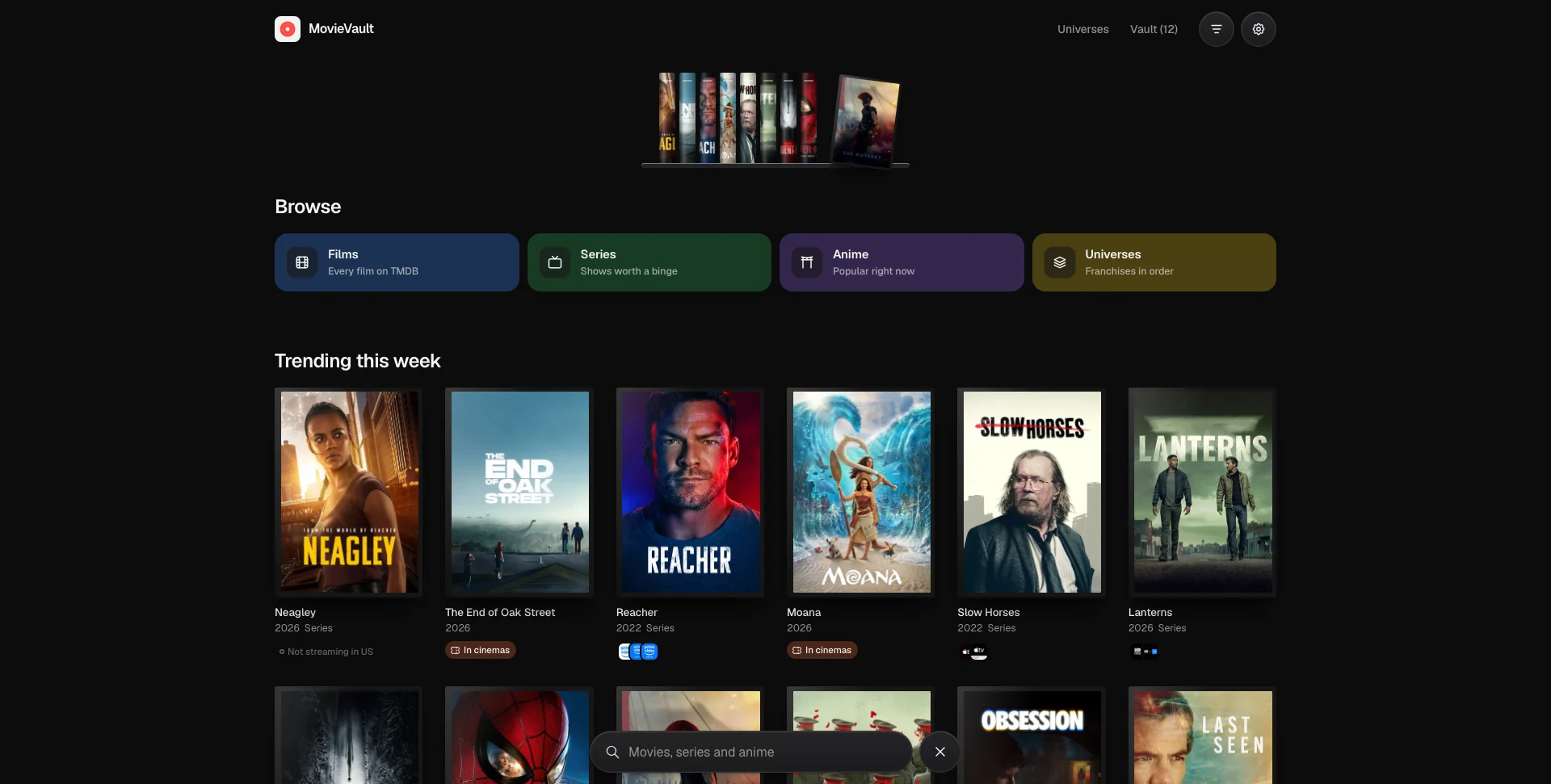
- Trending titles sit on a 3D ring of DVD cases that turns on its own and pauses while you hover.
- Drag, flick, scroll sideways or use the arrow keys; the ring settles on a critically damped spring, so a drag hands its momentum straight into the glide.
-
Case Transitions
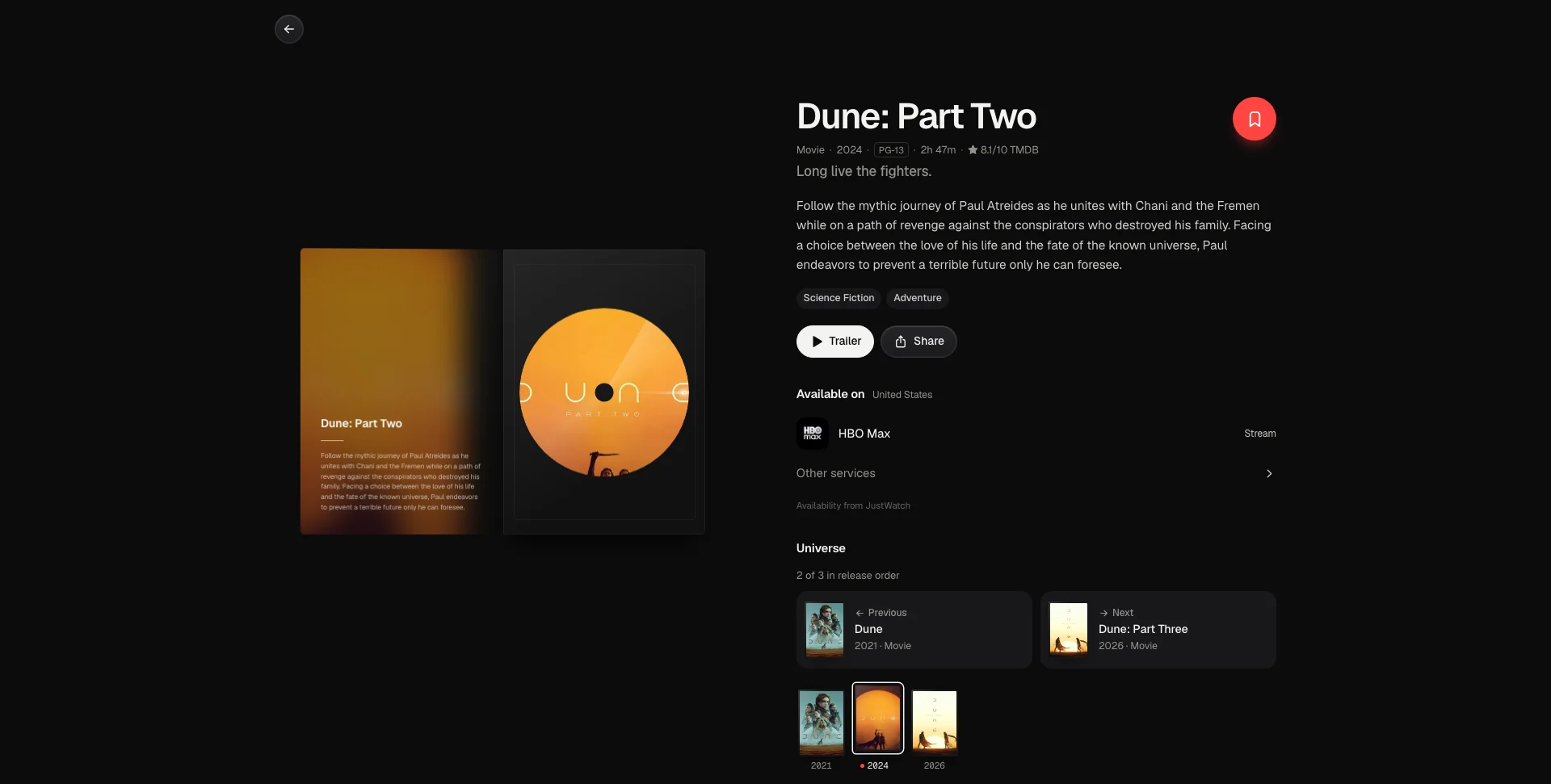
- Tap the centre case and it flies into the detail page and opens to reveal the disc.
- Going back closes the case and flies it back to the exact spot it came from: into the ring, onto a universe timeline, or back onto the search shelf, where the spine slides back into place.
-
Detail Pages
- Where to watch, age rating, runtime, genres, cast and crew, budget and box office, recommendations, and links out to IMDb, Wikipedia, the official site and socials.
- The trailer opens with the teasers, clips, featurettes and behind-the-scenes videos lined up underneath.
- Films between cinema and streaming show their digital release date for your region, on the page and as a badge on cards.
- Series get seasons with episode lists, the next air date, networks and creators. Anime that restart their numbering each season also show the running number, so season 2 episode 1 reads as #26.
- Studio and network logos, and a title’s tags, each open a page of everything else under them.
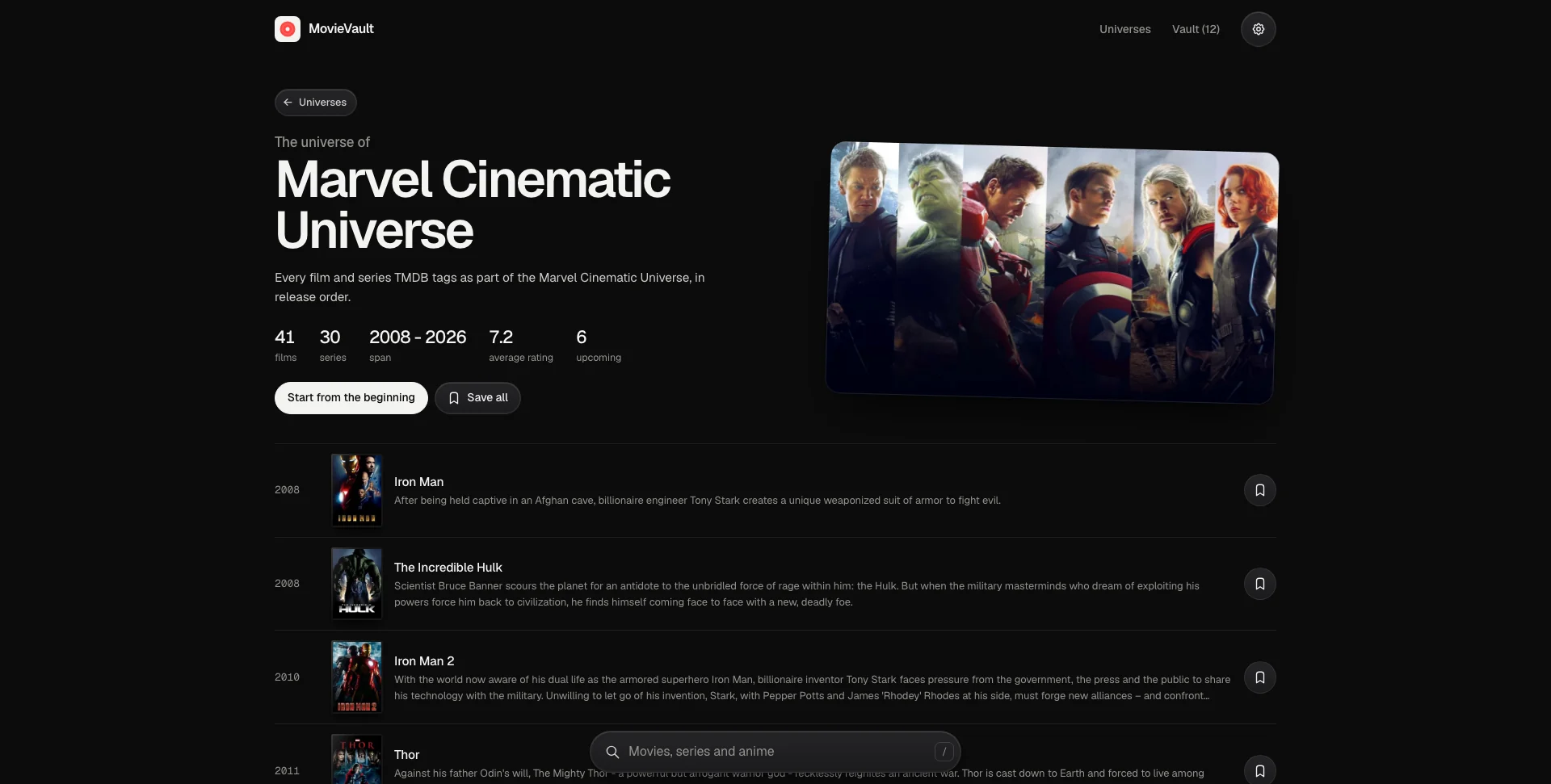
- Connected titles show what came before and after in release order, with a strip of the whole franchise.
-
Episodes
- A ratings graph in the style of a contribution chart: one row per season, one square per episode, darker for better.
- Seasons too long to read as one row, like the 366 episodes in Bleach’s first, are split into their arcs using TMDB’s fan-made episode groups, or at the gaps between broadcasts when there are none.
- Tap an episode for its still, rating, director, writers, guest stars and clips, and step through the season from there.
-
People, Studios and Tags
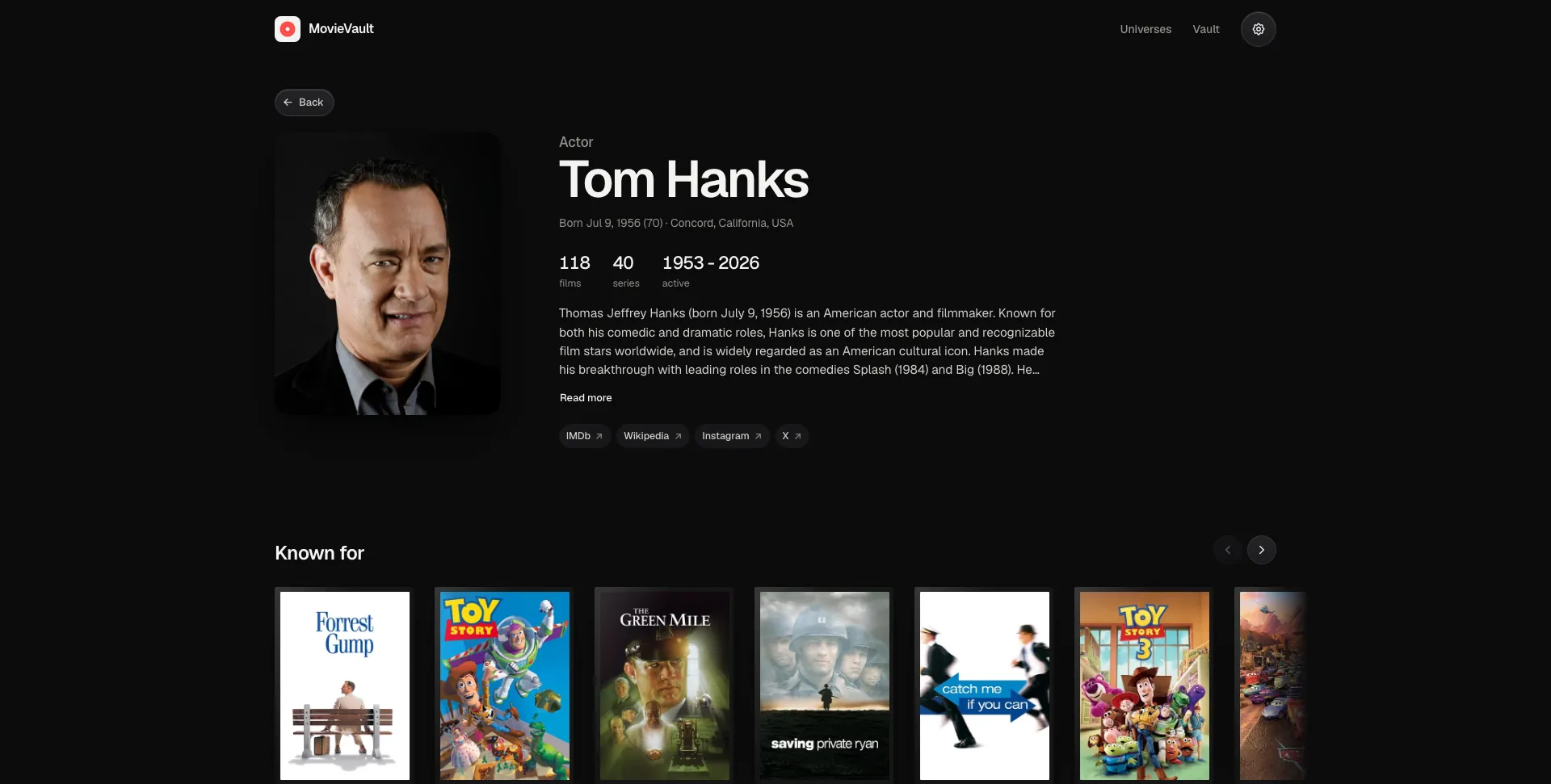
- Person pages show what someone is known for, their films, series and years active, and every credit in order, split by department.
- Studio, network and tag pages list everything under them, with films and series tabs, sorting and infinite scroll.
-
Search
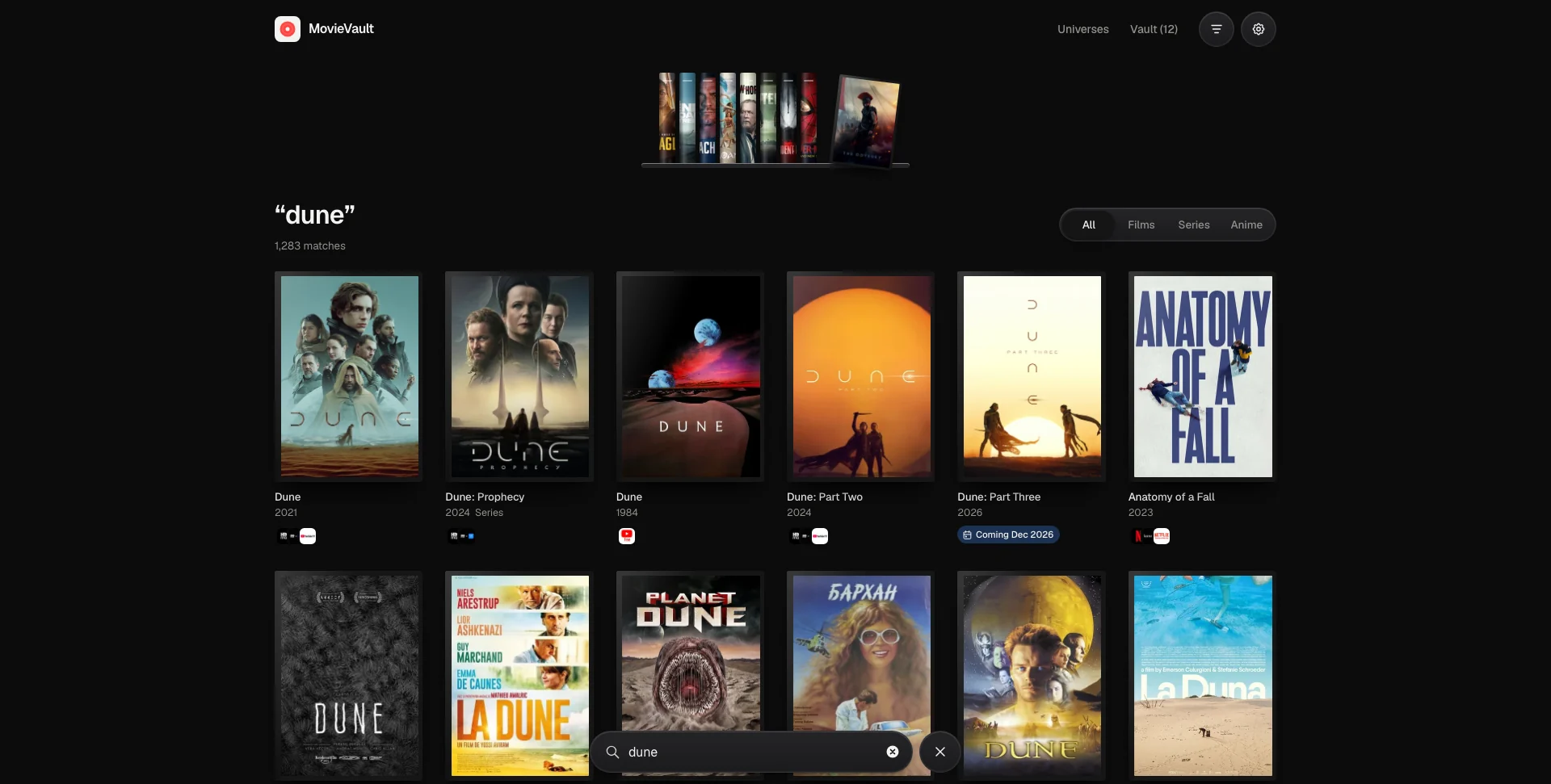
- One search across films, series, anime and people, with genre, language, length and free-to-watch filters, sorting, infinite scroll and recent searches.
- A shelf of trending spines and browse cards when the search is empty; the search pill morphs between pages.
-
Home, Universes & Vault
- Home shows the reel, what’s popular on your services, new episodes of series in your vault, what’s in cinemas and what just landed on digital.
- Each universe shows its span, average rating, what’s upcoming and a one-tap “save all”.
- The vault filters by type, sorts, and offers undo on every removal.
-
Settings
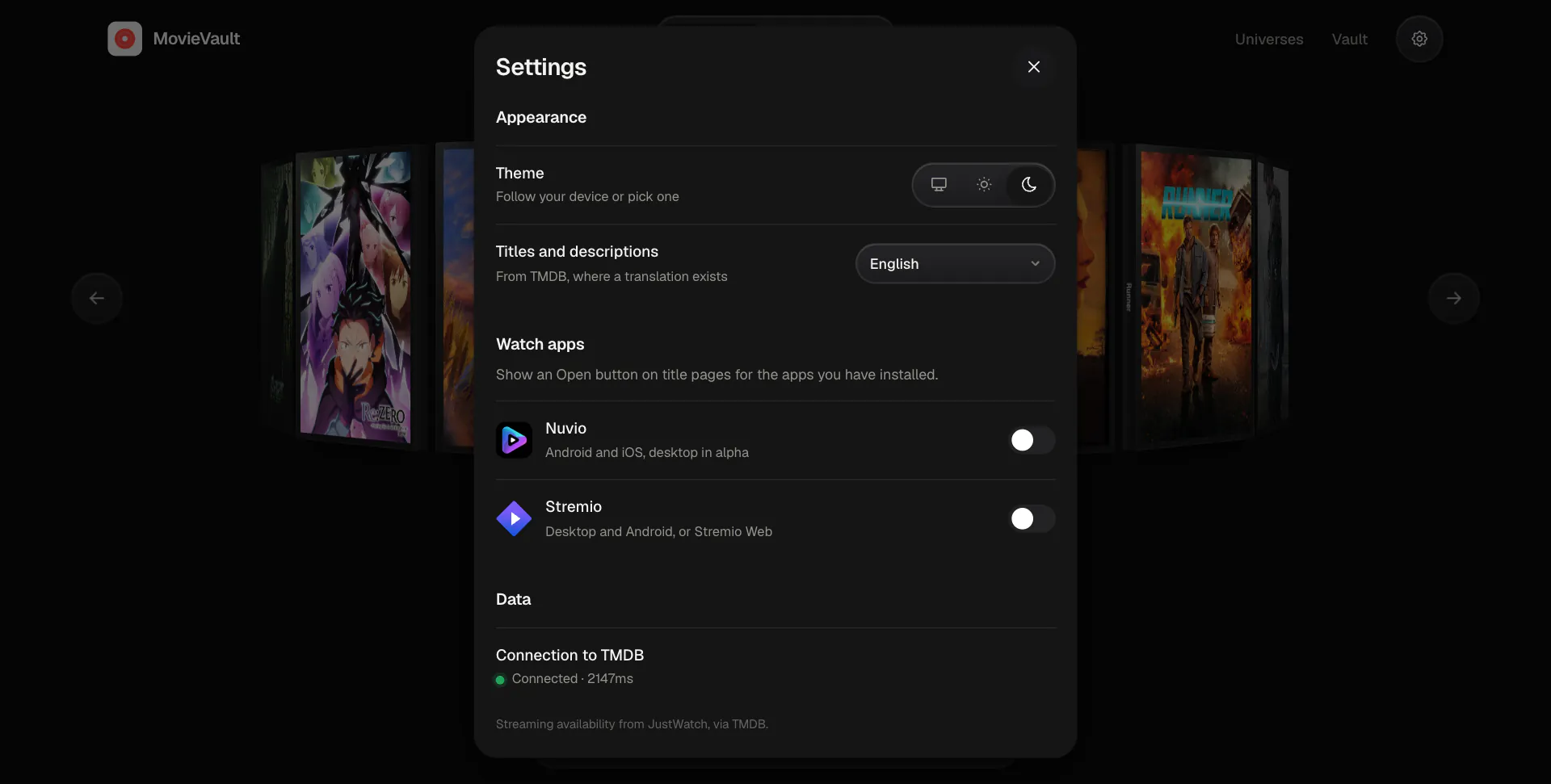
- Appearance, the language TMDB answers in for titles, descriptions, posters and logos, and a button that opens titles in Nuvio or Stremio.
-
Honest API Status
- Failed requests retry with backoff, and a small pill appears only when TMDB is unreachable, you’re offline or the key is wrong.
Code Walkthrough & Notable Modules
src/main.jsx: creates the data router and the routes for home, search, titles, people, studios, networks, tags, universes and the vault.- Pages (
src/pages): Home, Search, Title, Person, Browse (studios, networks and tags), Universes, Universe, Vault and NotFound. - Components (
src/components): • Reel: the 3D ring, positioned every frame with plain maths, with drag, wheel, keyboard and autoplay. • Case / OpenCase: the DVD case, and the version on the detail page that opens to reveal the disc. • Connected: previous and next titles plus the franchise strip. • Seasons: the season list, with episodes paged in and long seasons split into arcs. • EpisodeRatings, EpisodeSheet: the ratings graph and the episode details, both loaded only when opened. • ExternalLinks: IMDb, Wikipedia, the official site and socials for titles and people. • Providers, ServicesSheet: where to watch, and picking your services and region. • SettingsSheet: appearance, language, watch apps and the live TMDB connection status, opened from the gear in the header. • Sheet, Toaster, StatusPill: drag-to-dismiss sheets, undoable toasts and the API status pill. • Img: image loading with preview sizes, and keeping recently shown images warm so returning pages paint immediately. - Library (
src/lib): • tmdb.js / catalog.js: the TMDB client and the mapping into films, series, anime, universes and connected titles. • useQuery.js: a small request cache with a TTL, backed by session storage. • usePaged.js: infinite scroll for search and the studio, network and tag pages. • episodes.js: episode lists, running anime numbers, season splits and the ratings data. • apps.js: the links that open a title in Nuvio or Stremio. • hero.js: hands the flying case from one page to the next, and back. • store.js, watchlist.js, prefs.js: persisted stores for the vault, services, region and theme. • health.js: tracks the requests the app really makes to decide when TMDB is down.
UI / Responsiveness & Design Decisions
- Restraint: warm off-white ground, near-black ink, one red for saving, and pastel chips for browsing, with a matching dark theme.
- Typography: Geist for everything, Geist Mono for small numbers like years.
- Phone First: a bottom search dock that rides above the keyboard, drag-to-dismiss sheets, 44px touch targets and safe-area padding, scaling up to a two-column detail page and a wider ring on desktop.
- Calm Loading: skeletons match the real layout and share one synchronised sweep, and results stay on screen while new ones load.
- Solid Surfaces: floating controls use solid fills rather than frosted glass, so nothing shifts in colour while pages crossfade.
- Accessible: keyboard navigation throughout, focus management in dialogs, and
prefers-reduced-motionrespected everywhere.
Challenges & Learnings
- Landing the shared-element transition on the exact element you came from, on the way in and on the way back, and learning what view transition snapshots do to 3D transforms, backdrop filters and scroll positions.
- Keeping a 3D ring of sixteen cases smooth on phones without an animation library.
- Assembling franchises and recognising anime from TMDB keywords and collections.
- Caching, retrying and tracking the health of requests without a data-fetching library.
- Splitting seasons hundreds of episodes long into readable arcs, from fan-made episode groups or the gaps between broadcasts.
- Keeping expand and collapse controls from moving anything around them, including the photo beside a person’s bio.
- Keeping images in memory across routes, so a page you return to paints its posters in the first frame instead of waiting on the disk cache.
Future Improvements
- Sync: keep the vault in step across devices.
- Alerts: tell you when a saved title lands on one of your services.
- History: watched history and personal ratings.
- Sharing: share a vault or a universe as a link.
Screens & Visuals
The Reel
Title Details
Where to Watch and Connected Titles
Search
Search Results
Universes
Universe Timeline
Your Vault
Your Services
Settings
Person Page
Episode Ratings
Episode Details
Studio Page